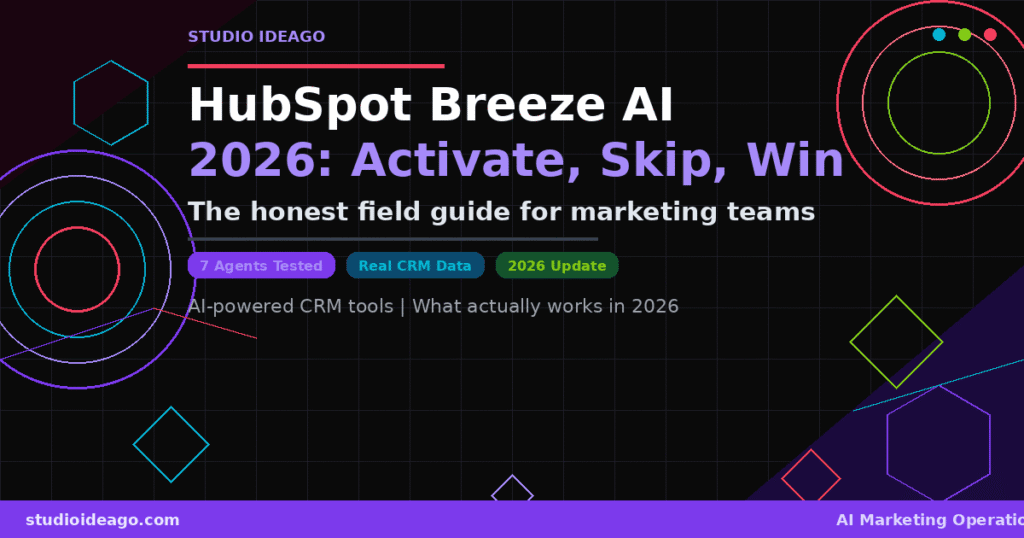
HubSpot shipped Breeze AI in late 2024 and has been stacking features on top of it ever since. By Spring 2026, there are five agents in the ecosystem — three in GA, two in beta — and most marketing teams have no idea which ones actually move the needle versus which ones are just impressive demos. This post cuts through the noise: what Breeze AI can do right now, what’s worth activating, and what you should skip until it matures.
What Is Breeze AI, Really?
Breeze is HubSpot’s unified AI layer — not a single product but an architecture built on three pillars: Breeze Assistant (the day-to-day AI sidekick embedded across the platform), Breeze Intelligence (the data enrichment and predictive scoring layer), and Breeze Agents (autonomous task executors that act on your behalf).
The distinction matters because most teams use the Assistant daily without realizing it — it’s behind the AI-generated email suggestions, one-click blog outlines, and contact summary cards. The Agents are where the strategic conversation gets interesting, and also where most of the confusion lives.
For the full architectural overview of how Breeze integrates with HubSpot’s CRM and AEO capabilities, we covered it in our Spring 2026 HubSpot Spotlight breakdown. This post focuses specifically on automation use cases — what to turn on, what to configure, and what to leave alone.
Breeze AI isn’t a replacement for your marketing stack — it’s an intelligence layer on top of your existing HubSpot data. Its output quality is directly proportional to how clean and structured your CRM is. Garbage in, garbage out still applies.
The 5 Breeze Agents: GA, Beta, and What Actually Works
As of May 2026, five Breeze Agents exist. Three are in GA, two in beta. Here’s the honest breakdown:
| Agent | Status | Best For | Worth It? |
|---|---|---|---|
| Customer Agent | GA | 24/7 support deflection, FAQ automation, ticket triage | ✅ |
| Prospecting Agent | GA | Outbound research, personalized outreach drafts, CRM enrichment | ✅ |
| Content Agent | GA | Blog drafts, landing page copy, social snippets, email bodies | ⚠️ |
| Company Research Agent | Beta | Account intelligence, firmographic enrichment pre-call | ⚠️ |
| Customer Health Agent | Beta | Churn prediction, health scoring, renewal signals | 🔜 |
What to Actually Activate Right Now (and How)
After running Breeze AI across multiple client accounts — B2B SaaS, professional services, ecommerce — here’s what delivers consistent ROI versus what sounds better in a demo than in production.
✅ Prospecting Agent — Activate immediately if you do outbound
This is the clearest win. Give it your ICP parameters, connect it to your contact database, and it will research accounts, pull firmographic data from Breeze Intelligence, and draft personalized first-touch emails that actually reference something specific about the company. The output isn’t perfect — you still need a human to review before sending — but it cuts research-to-draft time from 45 minutes to under 5. For consultants and agencies doing outbound, this is the one agent that pays for itself in week one.
✅ Customer Agent — Activate if you have a support volume problem
Trained on your knowledge base articles and past tickets, the Customer Agent handles tier-1 deflection around the clock. The setup takes 2–3 hours to configure properly (tone, escalation rules, knowledge sources), but once live it consistently resolves 40–60% of inbound support queries without human intervention. The key: configure escalation triggers aggressively at first, then loosen them once you trust the model’s judgment.
⚠️ Content Agent — Use as a starting point, not a publisher
The Content Agent generates structurally solid drafts — proper H2 hierarchy, reasonable length, SEO-aware structure — but the output reads like a competent intern, not an expert. Use it to break writer’s block and get a first draft in 3 minutes, then rewrite with your actual POV. Where it shines: repurposing existing content. «Take this blog post and give me 5 LinkedIn snippets + 3 email subject lines» works extremely well. Autonomous publishing without human review: not yet.
For context on how this fits into a broader AI-powered marketing operations framework, see our post on automating your marketing ops with AI — Breeze slots neatly into the execution layer of that framework.
The Workflows That Actually Save Time in 2026
Beyond the named Agents, Breeze AI powers workflow automations that have become genuinely useful in production environments. Here’s where the compounding ROI comes from:
Breeze AI Workflow Stack — Click to Expand
What to Skip Until It Matures
Not everything in Breeze is ready for production. These are the features we’d hold off on for now:
🚫 Autonomous Content Publishing
Content Agent output still requires expert editing. Publishing without review risks off-brand, factually sloppy content going live under your name.
🚫 Customer Health Agent (Beta)
Churn prediction requires clean, consistent product usage data. Most SMB HubSpot users don’t have the event tracking depth needed for reliable signals.
🚫 AI Chat on dirty CRMs
Breeze Assistant’s Ask AI feature is only as good as your CRM data structure. Duplicate contacts and inconsistent lifecycle stages will generate confidently wrong answers.
🚫 Company Research Agent without ICP clarity
The beta agent needs a tight ICP definition to be useful. Without it, you’ll get generic company summaries that don’t surface the right qualification signals.
The common failure mode with Breeze AI isn’t choosing the wrong agent — it’s activating it on top of a broken foundation. CRM hygiene, ICP clarity, and knowledge base quality determine 80% of the output. Fix those first, then turn on the agents.
The Bottom Line: Breeze AI in 2026
Breeze AI is genuinely useful — more so than HubSpot’s AI features have ever been — but it requires a clear-eyed activation strategy rather than turning everything on because it’s included in your plan. The Prospecting Agent and Customer Agent deliver measurable ROI in the first month. The Content Agent is a solid productivity multiplier when used as a drafting assistant, not an autopilot. The beta agents are worth watching, not deploying yet.
The 32% of marketers reporting 10–14 hours saved per week aren’t using every Breeze feature — they’ve activated two or three workflows that match their actual bottlenecks and configured them properly. That’s the playbook.
If you’re evaluating whether Breeze is worth activating for a client — or need help setting it up correctly — that’s exactly the kind of implementation work we do at Studio Ideago. Read also our take on AI agents in B2B marketing for the broader picture.
Ready to activate Breeze AI properly?
We’ll map your HubSpot setup to the right Breeze agents — and skip the ones that’ll waste your time.
Studio Ideago manages HubSpot for B2B SaaS and professional services clients. Let’s audit your portal and define a Breeze AI activation roadmap that actually fits your workflow.
Get Your Breeze Audit →