Most HubSpot implementations for industrial and B2B companies fail in the same place, and it is not the software. It is day three, when someone opens the portal, sees an empty CRM, and starts creating properties because that feels like progress. Six weeks later there are 140 custom properties, two pipelines nobody agrees on, a spreadsheet that is still the real source of truth, and four sales reps who have quietly gone back to their inbox.
I implement HubSpot from scratch for B2B companies — manufacturers, component suppliers, industrial distributors, technical service firms — usually with a small sales team, long deal cycles, and a mix of direct and distributor-led revenue. Sometimes the client hires me directly; sometimes a marketing agency brings me in as the CRM specialist on their account. Either way, the first 30 days follow the same shape, and the order of the work is the whole method.
This is that shape: what happens each week, what deliberately does not happen yet, and where the timeline breaks if you skip a step. The examples are composites from real projects, with the details changed.
Why an empty portal is an advantage, and why 30 days is the right box
A greenfield implementation has one thing a migration never has: no legacy to defend. Nobody is attached to a property called «Lead Source 2 (old)» because it does not exist yet. That advantage evaporates the moment the first import lands, so the first two weeks are spent making decisions on paper, and the CRM stays empty on purpose.
Thirty days is not a marketing number. It is the longest a sales team will tolerate «we are setting up the new CRM» before they stop believing it will change anything. Every plan I have seen that ran past six weeks without reps working inside the tool ended with a second launch. The goal is not a finished CRM at day 30; it is a CRM that reps use every day at day 30, built on a data model that will not need to be torn up in month four.
If you are weighing outside help, this is how I work as a B2B HubSpot consultant: one senior person from audit to go-live, with no hand-off to a junior team.
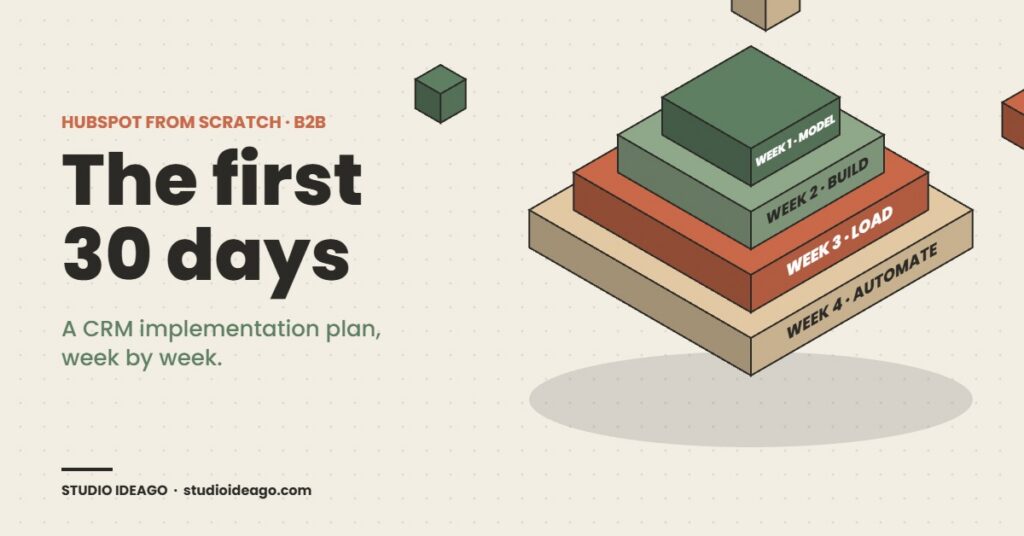
Week 1: model the business before touching a single property
Week one is interviews and a whiteboard. I talk to whoever owns revenue, to every rep, to whoever handles quotes and order entry, and to the person who currently maintains the spreadsheet. The output is a one-page data model that answers four questions.
What is a Company, really? For a components manufacturer selling through distributors, the buying account and the end customer are different companies with different roles. If you do not decide now whether a distributor is a Company with an association label or a separate object, you will decide it in month three by re-importing everything. What is a Deal? A quote is not a deal. A repeat purchase order from an existing account is not the same deal type as a new-logo qualification. Most industrial B2B teams need two pipelines: new business, with real qualification stages, and repeat or expansion, with two or three stages and a quote attached. Who touches what? Which fields are filled by the rep, which by a form, which by an integration or a later automation. What does «closed» mean? Signed quote, received PO, first invoice paid — pick one and write it down, because revenue reporting depends on it.
The most valuable hour of week one is defining exit criteria for each pipeline stage — not what happens in the stage, but what has to be true to leave it. I wrote about why exit criteria matter more than the stages themselves; in a greenfield build they are also the only thing that stops the pipeline from becoming a to-do list.
| Week 1 decision | Typical answer for an industrial B2B team | Cost of deciding late |
|---|---|---|
| Distributors vs end customers | Both are Companies; association labels «Distributor» / «End customer»; a Company property for channel | Full re-import and broken attribution |
| Number of pipelines | Two: New Business (5–6 stages) and Repeat / Expansion (3 stages) | Win rates and cycle times mean nothing |
| Closed-won definition | Purchase order received; invoicing tracked outside the deal | Revenue reports disagree with finance forever |
| Required properties per stage | Three to five per stage, enforced with «required to move» rules | Empty deals that look like pipeline |
| What NOT to migrate | Anything older than 24 months with no activity; free-text notes; duplicate contacts with no email | A new CRM that is already dirty on day one |
Week 2: build only what a rep will fill in on a Tuesday afternoon
Now the portal gets touched. Pipelines and stages first, with the exit criteria from week one turned into required properties. Then the property set — and the discipline here is subtraction. A typical first build for a 30-to-60-person B2B company needs somewhere between 15 and 25 custom properties across Contacts, Companies and Deals. If the list is at 60, it is a wish list, not a data model.
Three things I build in week two that get skipped surprisingly often. Lifecycle stage rules: what turns a Lead into an MQL, an MQL into an SQL, and — crucially — what moves a contact backwards. Deal stage automation that removes work: the deal moves to «Quote sent» when the quote is published, not when someone remembers. The record sidebar and the views reps actually see: a rep who opens a Contact and sees 40 blank fields will not trust the tool. The default views should show the eight fields that matter and hide the rest.
Week two also settles the integration question. An ERP or quoting tool that already holds the product catalogue should not be duplicated in HubSpot in month one. Decide which direction data flows (almost always ERP → HubSpot for accounts and orders, HubSpot → ERP for nothing yet) and leave the connector for phase two. A native-looking integration built before the data model is stable is the most expensive mistake on this list.
Week 3: data in, with rules that keep it clean
The import is not «upload the spreadsheet». It is a cleaning pass with a written rule set, then a test import of 50 records, then the full load. The rule set is short: one Company per legal entity, domain as the primary key; contacts without a business email get imported only if they own an open opportunity; free-text «notes» columns become a single timeline note, not a property; every imported record gets a source property with the value «Initial import 2026-09» so it can be found and, if needed, deleted as a batch.
Two settings deserve a paragraph each. First, the never-log domain list: before a single rep connects their inbox, add the company’s own domain, suppliers, the accountant, and personal email providers to the list of domains HubSpot must not log. Skip this and the CRM fills with internal threads within a week. Second, duplicate management: turn on automatic Company association by domain, review the duplicate suggestions once after import, and decide who owns merges going forward. In one project a distributor and its parent group shared a domain; the merge rule would have collapsed two real accounts into one. Rules need a human on the first pass.
This is also the week I set the hygiene baseline: a handful of saved views that count contacts with no company, deals with no amount, companies with no owner. Those numbers on day 21 are the benchmark every later automation is measured against. HubSpot’s new Context Home score, released this month, effectively productises this idea — it tells you how complete your CRM context is — but a score is only useful if someone owns the number. On larger portals that ownership eventually becomes a scheduled hygiene job rather than a person; in month one, it is a person and a view.
Week 4: automate the admin away, then go live with the reps in the room
Automation in month one has a single test: does it remove a step a rep currently does by hand? Deal-stage-driven tasks, owner assignment on inbound forms, a rotting-deal alert after 14 days without activity, a quote-sent → follow-up sequence. That is the list. Lead scoring, nurture programmes and AI agents are not month-one work; they need three months of clean activity data to be anything but guesswork. If you are considering letting an AI assistant write to the CRM later, the data model you fix now is what makes that safe.
Go-live is a 90-minute session with every rep, in the tool, working their own deals. Not a slide deck. Each rep leaves with their open deals in the right stage, their inbox connected, their mobile app installed, and one saved view called «My week». The following week I sit in on the pipeline review and watch where people get stuck — that observation is worth more than any training document.
| Go-live checklist (day 28–30) | Pass condition |
|---|---|
| Every open opportunity exists as a deal | Spreadsheet retired; reps confirm the list is complete |
| Required-to-move properties enforced | No deal can reach «Proposal» without amount, close date and decision maker |
| Never-log domains and inbox connections | All reps connected; zero internal threads on records after 3 days |
| Hygiene baseline recorded | Counts for no-owner, no-company, no-amount saved with a date |
| One pipeline report on a dashboard | Weighted pipeline by stage, owner and month, used in the Monday review |
When an agency brings in a CRM specialist: how the three-way model works
A growing share of these projects come to me through marketing agencies. The agency owns the client relationship, the campaigns and the reporting; they need a HubSpot build that their campaigns can land in, and they do not want to hire a full-time CRM architect for one account. The arrangement works when three things are explicit from week one.
One backlog, visible to all three parties. The build plan lives in a shared board the client can read, so «what is the CRM person doing» never becomes a question the agency has to answer on my behalf. The agency owns priorities, the client owns definitions. Only the client can say what closed-won means; only the agency can say the landing-page form has to be live by the 15th. Portal access is scoped from day one. A super-admin seat for the build, a clear handover of ownership at day 30, and a written note of every integration and API key created. The agency keeps a client who trusts the CRM; the client gets a specialist without a hiring process; and I get to do the part of the work I am actually good at.
Questions I get asked before every build
How long should a HubSpot implementation realistically take?
For a company with up to roughly 60 people and one or two sales teams, 30 days from kick-off to reps working daily in the CRM is realistic — if the first two weeks are spent on the data model and the import is treated as a cleaning exercise. Integrations with ERP or quoting systems belong in a second phase.
Which HubSpot tier does an industrial B2B company need to start?
Sales Hub Professional covers required-to-move properties, sequences, multiple pipelines and the automation described here. Enterprise becomes relevant with custom objects, multiple business units or advanced permissions. Marketing Hub can be added later once forms and campaigns are ready to land in a clean CRM.
Should we migrate all our historical data into HubSpot?
No. Import accounts and contacts with activity in the last 24 months, all open opportunities, and closed-won deals from the last two years for baseline reporting. Archive the rest. A clean, smaller CRM is adopted; a complete, dirty one is ignored.
Can a marketing agency subcontract the HubSpot implementation?
Yes, and it is increasingly common. It works when the agency keeps ownership of priorities and reporting, the client owns business definitions, the specialist owns the data model and build, and all three share one visible backlog. Access, ownership and handover should be written down before the portal is created.
Is HubSpot CRM a good fit for managing B2B clients?
Yes. HubSpot CRM manages companies, contacts and deals across multiple pipelines, plus quotes and service tickets, and it handles long sales cycles with several decision-makers. For B2B, what matters is modelling companies, contacts and deal stages properly before importing data. Sales Hub Professional adds multiple pipelines, sequences and the automation most B2B teams need.
What day 31 should look like
Day 31 is not a finished CRM. It is a sales team that opened HubSpot this morning without being asked, a pipeline number the owner trusts enough to say out loud, a hygiene baseline with a date on it, and a short list of phase-two items — the ERP connector, lead scoring, the marketing forms — that now have a clean place to land. Everything the platform is selling this year, from self-updating records to agents that draft outreach, assumes that foundation exists. Thirty disciplined days is what it costs to build it.
Need HubSpot built properly the first time?
I deliver 30-day HubSpot implementations for B2B manufacturers, distributors and technical service companies — data model, pipelines, import rules, month-one automation, go-live with your reps, and a written handover. Available directly or as the CRM specialist on your agency’s account.