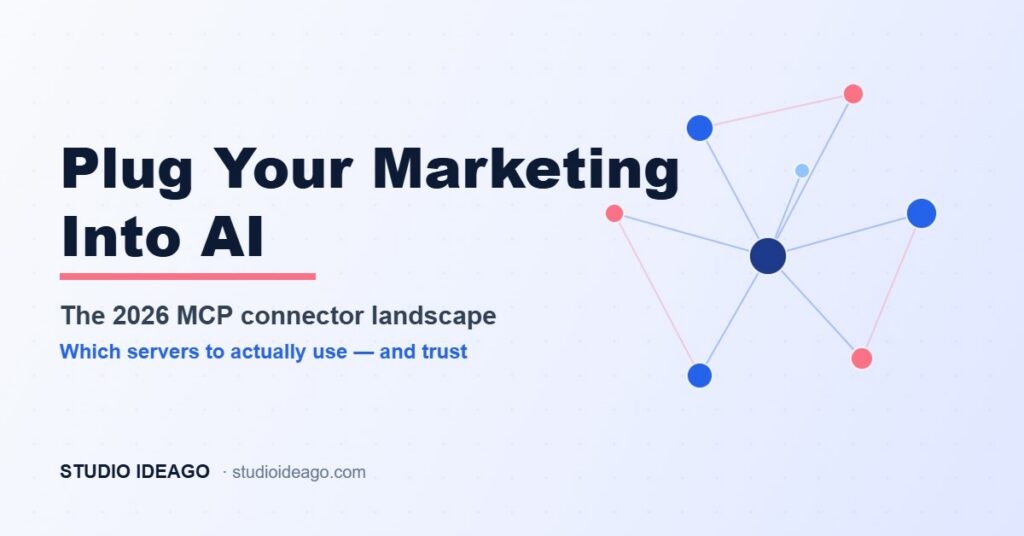
Two years ago, connecting your ad accounts to anything meant a developer, an API key and a week of your life. In 2026 you can open Claude or ChatGPT and ask, in plain English, «which of my Google Ads campaigns is bleeding budget?» — and get an answer pulled live from the account. The thing making that possible is the MCP connector: a standard way for AI assistants to read from, and increasingly write to, the platforms you already run. The catch is that there are now dozens of them, they are wildly uneven, and some will happily change your live campaigns. Here’s which ones actually exist, which to trust, and how to use them without handing an AI the keys to your client accounts.
Connectors · MCP
What Is an MCP Connector, and Why Should a Marketer Care?
MCP — the Model Context Protocol — is a shared standard that lets an AI assistant talk to an external tool through a small server. Instead of every app inventing its own bespoke plugin, MCP gives Claude, ChatGPT, Gemini, Cursor and the rest one common socket. A «connector» is simply the MCP server for a specific platform: a Google Ads connector, a Meta Ads connector, a HubSpot connector.
For a marketer, the practical payoff is that the reporting and busywork layer collapses. You stop exporting CSVs and rebuilding the same pivot every Monday, and start asking questions: which ad sets dropped below a 2x ROAS last week, which HubSpot deals went quiet, which search terms are wasting spend. The AI queries the account directly and answers. The 2026 shift is that this stopped being a demo and became infrastructure — Meta adopted MCP as the primary integration method for its Ads AI Connectors, and the major platforms now ship official servers rather than leaving it to hobbyists.
Which Marketing MCP Connectors Actually Exist in 2026?
The landscape splits cleanly into two camps: official servers shipped by the platforms themselves, and third-party servers that wrap several platforms or add write actions the official ones withhold. Both have a place.
The official ones (start here). Google open-sourced its own Google Ads MCP server in early 2026 — it’s deliberately read-only, exposing account listing and GAQL queries for diagnostics and analytics. Google also ships an official GA4 server covering 200-plus dimensions and metrics, so you can interrogate traffic, conversions and audiences by conversation. And HubSpot’s remote MCP server went generally available on April 13, 2026: it gives read and write access to core CRM records — contacts, companies, deals, tickets, line items, products — plus activities like calls, emails, notes and tasks, all over an OAuth 2.1 connection that respects each user’s existing permissions. Its honest limits: no custom objects, and if your portal has sensitive-data protection on, activity objects are blocked.
The third-party ones (fill the gaps). Where the official servers stop at read-only, independents add control. Pipeboard’s Meta Ads MCP is the most mature single-platform Meta server, with full read/write for campaigns, ad sets, creatives, targeting and budgets. Unified commercial connectors like Ryze (Google Ads, Meta, GA4 with confirmation-gated writes, ~$89/mo) or Synter (14 ad platforms, from ~$199/mo) trade a subscription for one socket across your whole stack. And Markifact launched a hosted Google Ads MCP on July 13, 2026 that adds write actions to the account — but only with a human approving each change. For pure data pulls across 350-plus sources, a reporting connector like Windsor.ai remains the pragmatic choice.
Read-only connectors can only tell you things. Write-enabled connectors can change things — pause a campaign, move a budget, edit a deal. That single line decides how much you should trust a given server, and how much supervision it needs.
Read or Write? How to Choose the Right Connector
Match the connector to the job, not to the hype. For reporting, diagnostics and «what happened last week» questions, a read-only official server is almost always the right call — it cannot break anything, so you can wire it up across every client account without losing sleep. This is where 80% of the day-to-day value lives, and it’s the safest place to start.
Reach for a write-enabled connector only when the workflow genuinely needs to act — bulk-pausing losing ad sets, pushing negative keywords, updating deal stages after a call. When you do, the non-negotiable feature is a human-approval step: the AI proposes the change, you confirm it, then it executes. That’s exactly the model Markifact built its July launch around, and it’s the difference between a co-pilot and an unsupervised intern with your ad budget.
Two more filters before you connect anything to a client account. First, authentication: prefer connectors that use proper OAuth and honour the permissions the user already has, like HubSpot’s official server — avoid anything asking you to paste a long-lived API key into a config file. Second, maintenance: a connector is only as good as its upkeep. A well-maintained open-source server with active commits beats an abandoned one, and a hosted commercial server beats both if you’d rather not babysit updates.
Read-only by default, write only with a human in the loop. Start with the platform’s official server; add a third-party one only when you need an action the official one won’t perform.
The best connector isn’t the one with the most tools. It’s the one you can safely point at a client account and forget about.
Not sure which connectors are safe to plug into your stack?
I help teams pick the right MCP connectors for their ad and CRM accounts, wire them into a reporting and optimisation workflow, and set the guardrails so nothing changes without a human saying yes.
The Bottom Line: Which Ones Should You Actually Use?
If you run Google Ads, Meta and a CRM, a sane 2026 starting stack looks like this: Google’s official read-only Google Ads and GA4 servers for reporting and diagnostics, HubSpot’s official server for CRM reads and the occasional supervised write, and a single write-capable ad connector — Pipeboard for Meta-heavy accounts, or a unified commercial server like Ryze or Synter if you want one socket — strictly with human approval switched on. Keep a reporting connector like Windsor.ai for the cross-channel data pulls that don’t fit any one platform.
This is the same thread running through everything platforms shipped this year: the tooling is racing ahead of the guardrails. It’s the reason AI is reshaping how you capture leads, and the same reason automated bidding keeps taking decisions out of your hands. Connectors give some of that control back — if you choose them deliberately.
Don’t connect everything because you can. Connect the few servers that earn their access, keep a human on the write actions, and let the AI do the reporting you were never going to enjoy anyway.
Build an AI-connected marketing stack that’s actually safe
I help consultants, agencies and B2B teams connect their ad platforms and CRM to AI assistants the right way — official servers first, write access gated behind human approval, and a reporting layer that finally runs itself. No abandoned open-source gambles, no keys handed to an unsupervised bot.

Get the Ideago Brief
Practical insights on HubSpot, AI and growth. One email a week, zero spam.
One email a week. Unsubscribe anytime. Privacy