Most go-to-market teams didn’t adopt one AI agent this year — they adopted six, from six different tools, with no one owning them and no shared memory between them. On July 23, 2026 HubSpot shipped its answer to that mess: Agent Hub and Agent Builder, now in public beta for every Professional and Enterprise customer. The pitch isn’t «here’s another agent.» It’s «here’s the place to build, run and watch all of them, on one shared record of your customer.» That’s a different — and more interesting — bet. Here’s what actually launched and how to decide whether to turn it on.
HubSpot · AI Agents
What Did HubSpot Just Launch with Agent Hub and Agent Builder?
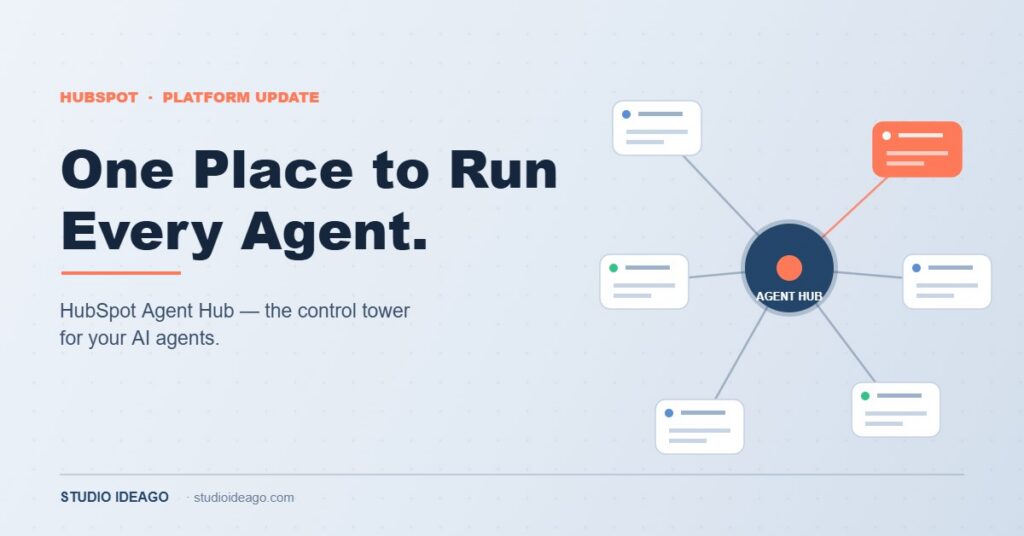
HubSpot released two connected products in public beta. Agent Hub is the management layer: a single workspace where you discover, activate, monitor and organise every AI agent running across marketing, sales and service. You see live status, recent results, and outcomes grouped by go-to-market goal — building demand, winning deals, delighting customers, scaling growth — instead of a scatter of disconnected bots. Agent Builder is the creation layer: a low-code canvas where non-technical users describe a task in plain language through Breeze Assistant, wire workflows and custom agents together, and trigger them from schedules, record updates, webhooks or third-party integrations.
The unlock underneath both is shared context. Every agent reads and writes to the same HubSpot customer record, so they stop working blind to each other. HubSpot’s own example is the failure mode everyone recognises: a sales prospecting agent emails a warm pitch to an account the same week a service agent is handling that account’s open complaint — neither aware of the other. On a shared record, that collision doesn’t happen. This is the logical next step after last year’s Breeze rollout; if you want the groundwork, our take on what to activate and skip in HubSpot Breeze still holds.
What Problem Does Agent Hub Actually Solve?
The real target is agent sprawl. Over the last eighteen months most teams bolted AI onto their stack tool by tool — a chatbot here, a content agent there, a prospecting agent from a point vendor — and ended up with automation nobody owns, no clear performance visibility, and no shared view of the customer. It feels productive and quietly creates risk: agents duplicating outreach, contradicting each other, or acting on stale data.
Agent Hub attacks that on three fronts. Ownership: one screen shows what’s running, what it’s doing and who’s accountable, so agents stop operating in the dark corners of your ops. Visibility: results are organised by outcome, not by tool, so you can finally ask «is this agent producing pipeline?» and get an answer. Context: because everything sits on the HubSpot record, an agent’s action is informed by the customer’s full history, not just the slice its vendor happened to see.
This is why the launch matters more than a single flashy agent would. The bottleneck for most teams in 2026 isn’t «can we get an agent to do a task» — it’s «can we run ten of them without them stepping on each other and on our customers.» A control tower is a less glamorous product than a magic bot, and a far more useful one.
Agent Builder: Who Is Low-Code Agent Creation Really For?
Agent Builder lowers the floor for making a custom agent. You describe what you want in plain language, connect it to your existing HubSpot workflows and data, and set what fires it. That genuinely helps a RevOps lead or a marketing manager automate a real task — routing, enrichment, follow-up drafting, meeting prep — without waiting on a developer.
But «low-code» is not «no-judgement.» An agent you can build in an afternoon is still an agent acting on live customer data, and the same discipline you’d apply to a human hire applies here: a narrow job, clear guardrails, and a way to check its work. The teams that get burned will be the ones who treat Agent Builder as a toy and let five half-configured agents loose on their database. The teams that win will scope each agent to one job they can measure. It’s the same lesson from our look at what AI agents are actually replacing in B2B marketing — the tool is only as good as the job you give it.
Custom agents run on HubSpot Credits when they perform configured actions. Credits are included at Professional and Enterprise tiers, but «free to create» is not «free to run» — scope agents to jobs worth the credits they’ll spend.
How Should You Actually Roll This Out?
Treat the beta as a controlled pilot, not a land-grab. A sane rollout in four moves.
1. Inventory what’s already running. Before you add anything, use Agent Hub to see every agent already active in your portal. Most teams are surprised by what’s on. You can’t fix sprawl you can’t see.
2. Start with one high-value, low-risk job. Pick a task with a clear owner and an obvious metric — lead routing, meeting prep, a first-draft follow-up that a human still sends. Avoid anything customer-facing and irreversible until you trust the output.
3. Wire in the shared context deliberately. The value is agents that know what other agents and reps have done. Make sure your data and properties are clean enough that «shared context» means accurate context, not confidently wrong context.
4. Set a review cadence. Check each agent’s results weekly against the outcome it was hired for, and against credit spend. Kill the ones that don’t earn their keep. An agent you never audit is a liability with a login.
Agent Hub’s real product isn’t another agent — it’s ownership, visibility and shared context for the agents you already run. Adopt it as a control tower, and scope every agent to one measurable job.
Low-code lowers the floor for building. It doesn’t lower the bar for judgement.
Not sure which agents in your portal are actually earning their keep?
I help HubSpot teams audit their agent stack, kill the sprawl, and roll out Agent Hub around jobs you can measure — with the data hygiene that makes «shared context» trustworthy.
The Bottom Line: Should You Turn On Agent Hub This Week?
If you’re on Professional or Enterprise and you already have more than one agent running, yes — but as an audit tool first, not a build tool. Open Agent Hub, see everything that’s active, and organise it before you create anything new. The single biggest win in the first week is visibility: knowing what your automation is actually doing to your customers.
The wider pattern is the one running through everything the platforms shipped this year. AI made it cheap to do the task; the scarce skill is now orchestration — deciding which jobs to automate, keeping them from colliding, and reading whether they’re working. HubSpot is betting the winning teams won’t be the ones with the most agents, but the ones who manage them like a team instead of a pile of scripts.
Turning on an agent is now trivial. Running a fleet of them well is the actual job. Build the control tower first.
Turn HubSpot’s agent stack into a system you control
I help consultants, agencies and B2B teams roll out HubSpot Agent Hub the right way — an inventory of what’s running, agents scoped to measurable jobs, clean data so shared context is trustworthy, and a review cadence that kills the sprawl before it costs you customers or credits.