Categorías
Entrada de Blog

Agentes de IA en Marketing B2B: Qué Están Reemplazando en 2026

Marketing B2B · Abril 2026

Agentes de IA en Marketing B2B:
Qué Están Reemplazando en 2026

Olvídate de los scripts de automatización y los chatbots. Los agentes de IA autónomos ya están haciendo el trabajo de roles enteros de marketing — y la mayoría de los equipos B2B no se han adaptado todavía.

Nacho Hernández Nacho Hernández · Studio Ideago

Qué Cambió Realmente Entre 2024 y 2026

En 2024, la IA en marketing significaba autocompletado, asistentes de generación de contenido y disparadores de flujo básicos. Tú hacías el prompt, revisabas el output, y decidías qué hacer con él. El humano seguía siendo el tomador de decisiones en cada paso.

2026 es diferente. No incrementalmente — categóricamente. Los agentes de IA no esperan un prompt. Perciben su entorno, razonan sobre objetivos, planifican rutas de ejecución multi-paso, y actúan — incluyendo acciones en sistemas externos como tu CRM, plataforma de anuncios, herramienta de email o stack de analytics — sin intervención humana en cada paso.

La consecuencia práctica es que categorías enteras de trabajo de marketing B2B que requerían el tiempo y el juicio de una persona ahora se ejecutan de forma autónoma. Según Gartner, el 40% de las aplicaciones empresariales tendrán agentes de IA específicos integrados a finales de 2026, frente a menos del 5% en 2025. Eso no es una tendencia — es un cambio estructural.

La Distinción Crítica

La automatización tradicional sigue reglas. Los agentes de IA persiguen objetivos. Esa diferencia cambia todo sobre qué se puede delegar — y qué no.

40%
de apps empresariales con agentes de IA a finales de 2026
70%
de email marketers con operaciones impulsadas por IA en 2026
11
flujos B2B ahora completamente automatizables por agentes

11 Flujos de Marketing que los Agentes Están Reemplazando

Esto no es teórico. Ya están funcionando en producción en empresas B2B de mediano y gran tamaño. La pregunta no es si tus competidores los están desplegando — es cuánta ventaja llevan ya sobre ti.

1. Lead Scoring y Cualificación

Los agentes analizan continuamente señales de comportamiento — visitas a páginas, aperturas de email, descargas de contenido, actividad en CRM — y actualizan los scores en tiempo real. Marcan cuentas de alta intención, activan secuencias de seguimiento y dirigen leads a comerciales con notas de contexto. Ningún humano toca el proceso hasta que el lead alcanza el umbral de traspaso.

2. Gestión de Pujas en PPC

Performance Max de Google y Advantage+ de Meta son en sí mismos sistemas impulsados por agentes. Pero una capa por encima — herramientas como Adloop, Optmyzr o agentes construidos a medida — monitorizan el rendimiento multiplataforma, reequilibran presupuestos basándose en señales de ROAS y pausan lo que no funciona sin esperar a la reunión semanal de revisión.

3. Personalización de Secuencias de Email

No es solo «Hola {Nombre}». Los agentes leen el historial de comportamiento de cada contacto, la fase en el CRM y el patrón de engagement, luego seleccionan la rama de secuencia más relevante, ajustan el timing según las ventanas de apertura previstas y reescriben asuntos dinámicamente. Klaviyo y HubSpot Breeze tienen motores de personalización de clase agente en 2026.

4. Monitorización de Inteligencia Competitiva

Los agentes monitorizan webs de competidores, páginas de precios, reseñas en G2/Capterra, ofertas de empleo en LinkedIn y notas de prensa de forma continua. Detectan señales accionables y las entregan como briefings estructurados a tu equipo.

5. Ensamblaje de Analytics e Informes

El uso más costoso del tiempo de un analista — extraer números de GA4, HubSpot, plataformas de anuncios y CRM, normalizarlos, construir las diapositivas — es ahora completamente delegable. Los agentes extraen de las APIs, redactan la narrativa, marcan anomalías y entregan informes estructurados.

6. Generación de Briefs de Contenido

Los agentes analizan la intención de búsqueda, la estructura SERP, los gaps de contenido de competidores y tu clúster existente para producir briefs completamente investigados y estructurados para SEO en minutos. Lo que antes llevaba medio día toma segundos.

7. Social Listening y Detección de Tendencias

Los agentes monitorizan menciones de tu marca, palabras clave del sector y narrativas de competidores en LinkedIn, Reddit, comunidades de Slack y foros del sector. Identifican conversaciones emergentes y sugieren ángulos de contenido vinculados a lo que tu ICP discute ahora mismo.

8. Personalización del Outreach de Ventas

Los agentes investigan cada prospecto — actividad en LinkedIn, noticias de la empresa, ofertas de empleo, financiación reciente — y producen un mensaje de primer contacto personalizado y fundamentado en su contexto específico. No es una plantilla con variables. Es outreach genuinamente investigado.

9. Higiene de Datos del CRM

Deduplicación, enriquecimiento, corrección de etapas, marcado de deals obsoletos. Los agentes se ejecutan continuamente contra tu CRM, marcando y corrigiendo problemas de calidad antes de que corrompan tus segmentos, modelos de atribución o métricas del pipeline.

10. Optimización de Landing Pages

Los sistemas impulsados por agentes monitorizan caídas en conversión, generan variaciones de copy y diseño, ejecutan tests multivariables de forma autónoma y promocionan las variantes ganadoras. El ciclo de feedback se comprime de meses a días.

11. Alertas de Rendimiento de Campañas

En lugar de revisar dashboards cada día, los agentes monitorizan tus campañas 24/7. Una caída en el CTR a las 3 de la mañana de un viernes se marca inmediatamente — con diagnóstico y acción recomendada — en lugar de descubrirse el lunes por la mañana.

Studio Ideago

Tus competidores ya están ejecutando agentes. La brecha se amplía cada semana que esperas.

Mapeamos tus flujos actuales, identificamos las oportunidades de agentes con mayor ROI y diseñamos una hoja de ruta de implementación específica para tu stack.

Solicita tu auditoría de agentes →

Lo que los Agentes No Pueden Reemplazar (Todavía)

Las ganancias de eficiencia son reales, pero vienen con una advertencia crítica: los agentes son excelentes ejecutando objetivos bien definidos dentro de parámetros conocidos. Fallan con cualquier cosa que requiera juicio estratégico genuino, confianza ganada u originalidad creativa.

Los Agentes Tienen Dificultades Con

  • Definir el objetivo correcto en primer lugar
  • Saber cuándo romper una regla (y por qué)
  • POV original y expertise ganado
  • Señales de confianza basadas en relaciones
  • Navegación política interfuncional
  • Juicio ético en situaciones ambiguas
  • Contexto que no está en los datos

Los Humanos Siguen Siendo Irremplazables Para

  • Definición de estrategia y objetivos
  • Brand voice y posicionamiento auténtico
  • Relaciones ejecutivas y partnerships
  • Dirección creativa y criterio estético
  • Gestión del cambio organizacional
  • Interpretar señales que contradicen el modelo
  • Decidir qué NO automatizar

El riesgo no es que los agentes de IA reemplacen a los marketers. El riesgo es que los marketers que no aprendan a orquestar agentes sean reemplazados por marketers que sí lo hagan. La descripción del puesto está cambiando de ejecutar tareas a definir objetivos, supervisar agentes y actuar en la capa estratégica que los agentes no pueden alcanzar.

La Implicación GEO: Cuando los Agentes de IA Se Convierten en Tus Compradores

Los agentes de IA no solo hacen tu trabajo de marketing. También hacen cada vez más la investigación de tus compradores. Un agente desplegado por un equipo de procurement en una empresa Fortune 500 evalúa proveedores de SaaS consultando sistemas de IA — Perplexity, ChatGPT, Gemini — en lugar de hacer clic en resultados de Google. El decisor humano recibe el output, no el rastro de búsqueda.

De esto trata la Optimización de Motores Generativos (GEO): tu contenido necesita estar estructurado, ser autoritativo y merecer ser citado. El SEO tradicional optimizaba para el click-through. El GEO optimiza para ser citado.

Implicación Estratégica

Tu próximo deal empresarial podría perderse porque un agente de IA no te incluyó en su lista corta — no porque un humano eligiera a un competidor sobre ti.

Cubrimos el framework completo en nuestro post sobre HubSpot AEO e IA Agéntica — merece la pena leerlo junto a este.

Cómo Construir Tu Stack de Agentes Sin Romper Tus Operaciones

La mayoría de equipos comete uno de dos errores: intentan automatizar todo a la vez (y crean caos), o esperan el «momento adecuado» que nunca llega. El enfoque correcto es secuencial.

1

Audita tus flujos ejecutados por humanos (Semana 1)

Mapea cada tarea repetible que tu equipo hace semanalmente. Clasifica cada una por: cuán basada en reglas es, cuánto juicio requiere, cuán alto impacto tiene. Las tareas que puntúan alto en basadas en reglas y alto impacto son tus primeras candidatas para agentes.

2

Empieza con tu capa de datos (Semanas 2-3)

Los agentes son tan buenos como los datos sobre los que operan. Antes de desplegar ningún agente, limpia tu CRM, verifica tu stack de tracking y confirma que tu atribución es fiable.

3

Despliega un agente en modo supervisado (Mes 1)

Ejecuta el agente en modo «recomendar, no actuar» durante dos semanas. Esto genera confianza, saca a la luz casos extremos y demuestra el valor internamente antes de la autonomía total.

4

Expande conectando agentes entre sí (Meses 2-3)

El poder real emerge cuando los agentes se pasan el trabajo entre sí. Un agente de inteligencia competitiva detecta una señal → un agente de briefs construye una respuesta → un agente de distribución lo programa. Cada agente es simple. El sistema conectado es poderoso.

5

Rediseña los roles en torno a la orquestación (Mes 3+)

Si despliegas agentes pero mantienes la misma estructura org, obtienes ganancias marginales. Si rediseñas roles para que los humanos se centren en estrategia y los agentes gestionen la ejecución, obtienes una ventaja competitiva estructural.

¿Listo para Construir Tu Stack de Agentes?

Diseña Tu Arquitectura de Agentes de Marketing B2B

Auditamos tus flujos, identificamos la secuencia correcta y construimos el stack de agentes que da a tu equipo una ventaja injusta — sin el caos de implementación.

Reserva una llamada estratégica gratuita →

Nacho Hernández
Nacho Hernández Marketing & Business Consultant · Studio Ideago

Consultor de marketing y negocio con más de 12 años de experiencia trabajando con marcas B2B SaaS y ecommerce en Europa. Especializado en operaciones de marketing impulsadas por IA, estrategia de medios de pago y sistemas CRM.

LinkedIn →
Categorías
Blog post

AI Agents in B2B Marketing: What They’re Actually Replacing in 2026

B2B Marketing · April 2026

AI Agents in B2B Marketing:
What They’re Actually Replacing in 2026

Forget automation scripts and chatbots. Autonomous AI agents are now doing the work of entire marketing roles — and most B2B teams haven’t caught up yet.

Nacho Hernández Nacho Hernández · Studio Ideago

What Actually Changed Between 2024 and 2026

In 2024, AI in marketing meant autocomplete, content generation assistants, and basic workflow triggers. You’d prompt a tool, review the output, and decide what to do with it. The human was still the decision-maker at every step.

2026 is different. Not incrementally — categorically. AI agents don’t wait for a prompt. They perceive their environment, reason through objectives, plan multi-step execution paths, and act — including taking actions in external systems like your CRM, ad platform, email tool, or analytics stack — without human intervention at each step.

The practical consequence is that entire categories of B2B marketing work that required a person’s time and judgment now run autonomously. According to Gartner, 40% of enterprise applications will have task-specific AI agents integrated by end of 2026, up from under 5% in 2025. That’s not a trend — it’s a structural shift.

The Critical Distinction

Traditional automation follows rules. AI agents pursue goals. That difference changes everything about what can be delegated — and what can’t.

40%
of enterprise apps with AI agents by end 2026
70%
of email marketers with AI-driven ops by end 2026
11
B2B workflows now fully automatable by agents

11 Marketing Workflows AI Agents Are Replacing

These aren’t theoretical. They’re already running in production at mid-market and enterprise B2B companies right now. The question isn’t whether your competitors are deploying these — it’s how far ahead of you they already are.

1. Lead Scoring & Qualification

Agents continuously analyze behavioral signals — page visits, email opens, content downloads, CRM activity — and update lead scores in real time. They flag high-intent accounts, trigger follow-up sequences, and route leads to sales reps with context notes. No human touches the process until a lead hits the handoff threshold.

2. PPC Bid Management

Google’s Performance Max and Meta’s Advantage+ are themselves agent-driven systems. But a layer above them — tools like Adloop, Optmyzr, or custom-built agents — now monitor cross-platform performance, rebalance budgets between channels based on ROAS signals, and pause underperformers without waiting for a weekly review meeting.

3. Email Sequence Personalization

Not just «Hi {FirstName}». Agents read each contact’s behavioral history, CRM stage, and engagement pattern, then select the most relevant sequence branch, adjust timing based on predicted open windows, and rewrite subject lines dynamically. Klaviyo and HubSpot Breeze both have agent-class personalization engines running in 2026.

4. Competitive Intelligence Monitoring

Agents monitor competitor websites, pricing pages, G2/Capterra reviews, LinkedIn job posts, and press releases on a continuous basis. They surface actionable signals — a competitor changed their pricing model, a key executive left, they launched a feature in your roadmap — and deliver them as structured briefings to your team.

5. Analytics & Reporting Assembly

The most expensive use of a marketing analyst’s time — pulling numbers from GA4, HubSpot, ad platforms, and CRM, normalizing them, building slides — is now fully delegable. Agents pull from APIs, write the narrative, flag anomalies, and deliver structured reports. The analyst’s job shifts to interpretation and strategic recommendation.

6. Content Brief Generation

Agents analyze search intent, SERP structure, competitor content gaps, and your existing cluster to produce fully researched, SEO-structured content briefs — keyword map, heading hierarchy, internal link targets, angle recommendation — in minutes. What used to take a content strategist half a day takes seconds.

7. Social Listening & Trend Detection

Agents monitor your brand mentions, industry keywords, and competitor narratives across LinkedIn, Reddit, Slack communities, and industry forums. They identify emerging conversations worth joining, flag reputational risks, and suggest content angles tied to what your ICP is actively discussing right now.

8. Sales Outreach Personalization

Agents research each prospect — LinkedIn activity, company news, job postings, recent funding — and produce a personalized first-touch message grounded in their specific context. Not a template with variables swapped. A genuinely researched, relevant outreach that reads like a human wrote it specifically for that person.

9. CRM Data Hygiene

Deduplication, enrichment, lifecycle stage correction, stale deal flagging — the maintenance work that no one wants to do and everyone knows is broken. Agents run continuously against your CRM, flagging and fixing data quality issues before they corrupt your segments, attribution models, or sales pipeline metrics.

10. Landing Page Optimization

Agent-driven systems monitor conversion drop-offs, generate copy and layout variations, run multivariate tests autonomously, and promote winning variants — all without a human writing a test hypothesis or waiting two weeks for statistical significance. The feedback loop compresses from months to days.

11. Campaign Performance Alerts

Instead of checking dashboards daily, agents monitor your campaigns 24/7 against performance thresholds and anomaly patterns. A CTR drop at 3am on a Friday gets flagged immediately — with a diagnosis and recommended action — rather than discovered Monday morning in the weekly review.

Studio Ideago

Your competitors are already running agents. The gap widens every week you wait.

We map your current workflows, identify the highest-ROI agent opportunities, and design an implementation roadmap specific to your stack — without disrupting what’s already working.

Get your agent audit →

What Agents Can’t Replace (Yet)

The efficiency gains above are real, but they come with a critical caveat: agents are excellent at executing well-defined objectives within known parameters. They struggle — badly — with anything that requires genuine strategic judgment, earned trust, or creative originality.

Agents Struggle With

  • Defining the right objective in the first place
  • Knowing when to break a rule (and why)
  • Original POV and earned expertise
  • Relationship-based trust signals
  • Cross-functional political navigation
  • Ethical judgment in ambiguous situations
  • Reading context that isn’t in the data

Humans Remain Irreplaceable For

  • Strategy definition and goal-setting
  • Brand voice and authentic positioning
  • Executive relationships and partnership deals
  • Creative direction and taste
  • Organizational change management
  • Interpreting signals that contradict the model
  • Deciding what NOT to automate

The risk isn’t that AI agents replace marketers. The risk is that marketers who don’t learn to orchestrate agents get replaced by marketers who do. The job description is shifting from executing tasks to defining objectives, supervising agents, and acting on the strategic layer agents can’t reach.

The GEO Implication: When AI Agents Become Your Buyers

Here’s the dimension most B2B marketing teams haven’t fully processed: AI agents aren’t just doing your marketing work. They’re also increasingly doing your buyers’ research.

An agent deployed by a procurement team at a Fortune 500 evaluates SaaS vendors by querying AI systems — Perplexity, ChatGPT, Gemini — rather than clicking through Google results. It compares positioning, pulls pricing, reads reviews, and synthesizes a shortlist. The human decision-maker receives the output, not the search trail.

This is what Generative Engine Optimization (GEO) is actually about: your content needs to be structured, authoritative, and citation-worthy so that AI systems include you in their synthesized answers. Traditional SEO optimized for click-through. GEO optimizes for being cited.

Strategic Implication

Your next enterprise deal might be lost because an AI agent didn’t include you in its vendor shortlist — not because a human chose a competitor over you.

The practical response: publish specific, opinionated, well-structured content that takes clear positions — exactly what AI systems prioritize when deciding what to cite. Generic thought leadership gets filtered out. Specific expertise gets cited. We covered the full framework for this in our post on HubSpot AEO and Agentic AI.

How to Build Your Agent Stack Without Breaking Your Operations

Most teams make one of two mistakes: they try to automate everything at once (and create chaos), or they wait for the «right moment» that never arrives. The right approach is sequential — stack wins that compound, not experiments that compete.

1

Audit your human-executed workflows (Week 1)

Map every repeatable task your team does weekly. Classify each by: (a) how rule-based it is, (b) how much judgment it requires, (c) how high-impact it is. The tasks that score high on rule-based and high-impact are your first agent candidates.

2

Start with your data layer (Week 2–3)

Agents are only as good as the data they operate on. Before deploying any agent, clean your CRM, verify your tracking stack, and confirm your attribution is reliable. A bad data layer produces agents that automate the wrong things very efficiently.

3

Deploy one agent in supervised mode (Month 1)

Pick the highest-ROI workflow from your audit. Run the agent in «recommend, don’t act» mode for two weeks — it surfaces what it would do, you approve each action. This builds trust, surfaces edge cases, and proves the value internally before full autonomy.

4

Expand by connecting agents (Month 2–3)

The real power emerges when agents hand off to each other. A competitive intelligence agent surfaces a signal → a content brief agent builds a response → a distribution agent schedules it. Each agent is simple. The connected system is powerful.

5

Redesign roles around agent orchestration (Month 3+)

If you deploy agents but keep the same org structure, you get marginal efficiency gains. If you redesign roles so humans focus on strategy, interpretation, and creative direction — and agents handle execution — you get a structural competitive advantage.

Ready to Build Your Agent Stack?

Design Your B2B Marketing Agent Architecture

We audit your workflows, identify the right automation sequence, and build the agent stack that gives your team an unfair advantage — without the implementation chaos.

Book a free strategy call →
Nacho Hernández
Nacho Hernández Marketing & Business Consultant · Studio Ideago

Marketing and business consultant with 12+ years of experience working with B2B SaaS and ecommerce brands across Europe. Specializes in AI-powered marketing operations, paid media strategy, and CRM systems (HubSpot, Shopify, Google Ads, Meta Ads).

LinkedIn →
Categorías
Entrada de Blog

El CRO Ya No Es de Tests A/B. Es de Inteligencia en Tiempo Real.

Estrategia de Conversión · Abril 2026

El CRO Ya No Es de Tests A/B.
Es de Inteligencia en Tiempo Real.

Por qué los mejores equipos de marketing han abandonado el ciclo de testing tradicional — y qué están haciendo en su lugar.

Nacho HernándezNacho Hernández · Studio Ideago

La Trampa del A/B Testing

Lanzas un test. División 50/50. Dos semanas. Significación estadística al 95%. Se declara ganador. Se despliega la variante. La tasa de conversión sube un 4%.

Dos meses después, otro test. Y así. Este ciclo —cómodo, riguroso, lento— ha definido el CRO durante la última década. Y se está convirtiendo en el juego equivocado.

El problema no es que el A/B testing no funcione. Es que optimiza para promedios en un momento en que tu audiencia nunca ha sido más fragmentada. El visitante que llega desde un anuncio de retargeting de LinkedIn después de leer tu caso de éxito no tiene casi nada en común —en términos de intención, fricción y siguiente paso ideal— con quien llegó por un keyword genérico a tu homepage.

Servirles la misma página y luego hacer un test para elegir qué versión rinde mejor en promedio es un compromiso metodológico. El CRO con IA rechaza ese compromiso.

Idea Clave

El CRO tradicional optimiza para el visitante promedio. El CRO con IA elimina el promedio.

Qué Significa Realmente el CRO con IA

El CRO con IA no es una plataforma de testing más inteligente. Es un modelo fundamentalmente diferente de cómo interactúas con los visitantes de tu web.

En lugar de elegir entre dos variantes estáticas y declarar ganadora a una, los sistemas de CRO con IA leen continuamente señales de comportamiento —profundidad de scroll, patrones de clic, tiempo en página, dispositivo, fuente de tráfico, etapa en el CRM— y sirven una experiencia dinámicamente optimizada a cada visitante, en tiempo real, sin esperar a que concluya ningún test.

El resultado no es una mejora puntual del 4% en un experimento. Es una mejora persistente y compuesta que se vuelve más precisa a medida que el sistema acumula más datos de comportamiento.

CRO Tradicional vs. CRO con IA

Tradicional

  • Variantes estáticas, tests periódicos
  • Ciclos de 2–4 semanas
  • Optimiza para el visitante promedio
  • Hipótesis generada por humanos
  • Aprende una cosa a la vez
  • Tráfico desperdiciado en variantes perdedoras

Con IA

  • Experiencias dinámicas, siempre activas
  • Adaptación en tiempo real
  • Personaliza por segmento de visitante
  • La IA genera y valida hipótesis
  • Aprende continuamente, en paralelo
  • El tráfico se dirige a la mejor experiencia

5 Cambios del CRO Tradicional al CRO con IA

No son mejoras incrementales. Son cambios de categoría en cómo funciona la optimización de conversión.

1. De la Hipótesis a la Predicción

CRO tradicional: alguien tiene una corazonada, construye un test, espera. CRO con IA: el sistema analiza patrones históricos de comportamiento, predice qué experiencia generará la mayor conversión para un perfil de visitante dado, y la sirve — sin esperar a que un humano lo proponga.

2. De Variantes de Página a Segmentos de Intención

Un visitante de alta intención (tercera visita, ha visto la página de precios, llega desde retargeting) debería ver un CTA directo a demo, prueba social y un ancla de precio. Un visitante orgánico de primera vez debería ver el planteamiento del problema y un lead magnet de baja fricción. La IA segmenta por intención en tiempo real — no por buckets de fuente de tráfico configurados hace meses.

3. De Clics a Analítica de Comportamiento

Microsoft Clarity, Hotjar AI y FullStory ya usan ML para clusterizar grabaciones de sesiones por tipo de comportamiento — patrones de frustración, rage clicks, bucles de indecisión. No revisas 200 sesiones. Recibes: el 23% de los visitantes que llegan a la página de precios abandonan inmediatamente después de ver el plan anual. Eso es una señal accionable, no un dataset en bruto.

4. De Tests de Copy a Optimización Generativa

En vez de testear dos titulares escritos manualmente, la IA genera docenas de variantes basadas en marcos semánticos (urgencia, prueba social, beneficio directo, reto), las testea en tiempo real contra tráfico real y retira automáticamente las que no funcionan. El copy ganador no es el que creíste que era mejor — es el que tus visitantes realmente respondieron.

5. De Eventos de Conversión a Atribución de Revenue

Las implementaciones más avanzadas de CRO con IA no optimizan para formularios rellenados. Se conectan al CRM y a los datos de revenue y optimizan para la calidad posterior — MQLs que se convierten en SQLs, trials que pasan a pago. Esto cierra el bucle que la mayoría de programas de CRO nunca han cerrado: la brecha entre los eventos de conversión y los resultados reales de negocio.

Studio Ideago

Hacer CRO a la antigua está costándote conversiones que nunca aparecerán en tus informes.

Auditamos tu funnel actual, identificamos dónde la personalización basada en intención tendría mayor impacto, y diseñamos un roadmap de CRO con IA adaptado a tu stack — sin reconstruirlo todo desde cero.

Auditemos tu funnel →

El Stack de Herramientas Que Lo Hace Posible

No existe una sola plataforma de CRO con IA. El stack moderno es modular — cada capa aborda una parte específica del problema de inteligencia de conversión.

Inteligencia de Comportamiento

Microsoft Clarity (gratuito), Hotjar AI, FullStory — clustering de sesiones, detección de frustración, resúmenes de sesión generados por IA.

Personalización en Tiempo Real

Mutiny (enfocado en B2B), Dynamic Yield, Unbounce Smart Traffic — sirve experiencias diferentes a segmentos diferentes sin cambios de código.

Testing Asistido por IA

VWO, Optimizely — ambos incluyen generación de hipótesis con IA y estadísticas bayesianas que cierran los tests antes y con mayor precisión.

Lead Scoring Predictivo

HubSpot Breeze, 6sense, Clearbit — enriquecen perfiles de visitantes con datos firmográficos para personalizar CTAs según tamaño de empresa, industria o etapa en CRM.

La clave no es adoptar todas las herramientas. Es identificar el cuello de botella en tu funnel específico y desplegar la capa correcta allí primero.

¿Por Qué Capa Deberías Empezar?

🔍 No sé por qué se van los visitantes

Empieza con analítica de comportamiento. Clarity es gratuito y se instala en 10 minutos. Activa los resúmenes de sesión con IA. Tendrás datos reales de fricción en una semana — no corazonadas.
🎯 Mi tráfico es bueno pero los clics en CTA son bajos

Empieza con personalización de copy y CTA. Fuentes de tráfico diferentes necesitan mensajes diferentes. Testea tu titular con VWO o usa Unbounce Smart Traffic para enrutar por intención.
🏢 Tengo tráfico B2B pero landing pages genéricas

Empieza con personalización en tiempo real. Mutiny o Clearbit + HubSpot pueden detectar empresa, industria y etapa — y cambiar dinámicamente tu titular, imagen hero y CTA para adaptarlos al contexto del visitante.
📊 Genero muchos leads pero las tasas de cierre son bajas

Tu problema no es la conversión — es la calidad de los leads. Empieza con lead scoring predictivo + filtrado de intención. Usa HubSpot Breeze o 6sense para identificar cuentas de alta intención y dirige el presupuesto de CRO solo a esos segmentos.

Implicaciones Específicas para B2B SaaS y Ecommerce

La implementación difiere significativamente según tu modelo de negocio.

B2B SaaS

  • Personaliza por tamaño de empresa + industria (Clearbit/Mutiny)
  • Adapta el copy del CTA de demo según etapa en el ciclo de vida del CRM
  • Usa intent data (6sense) para precalificar antes de que el visitante haga clic
  • Conecta los resultados de tests a la conversión MQL → SQL — no solo a formularios
  • Optimiza los flujos de activación de trial, no solo las landing pages

Ecommerce

  • Recomendaciones de producto dinámicas (historial de compra + señales de navegación)
  • Triggers de urgencia en tiempo real (inventario, prueba social) basados en comportamiento por categoría
  • Intervenciones de abandono de carrito personalizadas según el motivo del abandono
  • Flujos de email generados por IA y activados por secuencias de comportamiento, no por delays de tiempo
  • Landing pages personalizadas para cada variante creativa de anuncio

En ambos casos, el hilo conductor es el mismo: deja de tratar tu web como una emisión y empieza a tratarla como una conversación. La página debe responder a lo que cada visitante trae consigo.

Por Dónde Empezar Sin Reconstruirlo Todo

La principal objeción al CRO con IA es la complejidad. La mayoría de equipos escucha personalización en tiempo real y piensa en 6 meses de implementación. No tiene por qué ser así — si lo abordas en el orden correcto.

1

Audita la fragmentación de intención (Semana 1)

Segmenta tus últimos 90 días de tráfico por fuente + landing page. Calcula tasas de conversión por segmento. La brecha entre el mejor y el peor segmento es tu oportunidad de personalización — es dinero que estás dejando sobre la mesa ahora mismo.

2

Instala analítica de comportamiento en tus top 3 páginas (Semana 1–2)

Microsoft Clarity es gratuito y tarda 10 minutos. Activa los resúmenes de sesión con IA. Tendrás datos reales de fricción en una semana — no corazonadas.

3

Ejecuta un experimento informado por IA (Semana 2–4)

Usa los datos de comportamiento para construir una hipótesis específica. Ejecútala con estadísticas bayesianas en VWO u Optimizely. El objetivo no es la mejora del 4% — es demostrar internamente que el bucle de retroalimentación funciona.

4

Añade una capa de personalización (Mes 2)

Elige el segmento de mayor impacto (p. ej., tráfico de pago que llega a la homepage). Sírveles un titular y CTA específicos. Mide. Este es el momento en que el CRO se convierte en CRO con IA — y los resultados empiezan a multiplicarse.

¿Listo para Ir Más Allá de los Tests A/B?

Solicita una Auditoría de CRO con IA para Tu Funnel

Mapeamos tu funnel, identificamos tus oportunidades de personalización de mayor impacto y te damos un plan de acción priorizado — sin frameworks genéricos, solo tu situación específica.

Reserva una llamada estratégica →

Nacho Hernández

Nacho HernándezConsultor de Marketing & Negocio · Studio Ideago

Consultor de marketing y negocio con más de 12 años de experiencia trabajando con marcas B2B SaaS y ecommerce en Europa. Especializado en operaciones de marketing con IA, estrategia de medios de pago y sistemas CRM (HubSpot, Shopify, Google Ads, Meta Ads).

LinkedIn →

Categorías
Blog post

CRO Is No Longer About A/B Tests. It’s About Real-Time Intelligence.

Conversion Strategy · April 2026

CRO Is No Longer About A/B Tests.
It’s About Real-Time Intelligence.

Why the best marketing teams have abandoned the traditional testing cycle — and what they’re doing instead.

Nacho HernándezNacho Hernández · Studio Ideago

The A/B Testing Trap

You run a test. 50/50 split. Two weeks. Statistical significance at 95%. Winner declared. You push the winning variant. Conversion rate goes up 4%.

Two months later, you run another test. Repeat. This cycle — comfortable, rigorous, slow — has defined CRO for the past decade. It’s also becoming the wrong game to play.

The problem isn’t that A/B testing is ineffective. It’s that it’s optimizing for averages at a moment when your audience has never been more fragmented. The visitor who comes from a LinkedIn retargeting ad after reading your case study has almost nothing in common — in terms of intent, friction, and ideal next step — with the person who Googled a generic keyword and landed on your homepage.

Serving them the same page, and then running a test to pick which version of that page performs better on average, is a methodological compromise. AI-powered CRO refuses that compromise.

Key Insight

Traditional CRO optimizes for the average visitor. AI CRO eliminates the average.

What AI-Powered CRO Actually Means

AI CRO is not a smarter testing platform. It’s a fundamentally different model of how you interact with website visitors.

Instead of choosing between two static variants and declaring a winner, AI CRO systems continuously read behavioral signals — scroll depth, click patterns, time on page, device, traffic source, CRM stage — and serve a dynamically optimized experience to each visitor, in real time, without waiting for a test to conclude.

The result is not a 4% lift from a single experiment. It’s a persistent, compounding improvement that gets more accurate as the system accumulates more behavioral data.

Traditional CRO vs. AI CRO

Traditional

  • Static variants, periodic tests
  • 2–4 week cycles
  • Optimizes for average visitor
  • Human hypothesis required
  • Learns one thing at a time
  • Traffic wasted on losers

AI-Powered

  • Dynamic experiences, always on
  • Real-time adaptation
  • Personalizes per visitor segment
  • AI generates & validates hypotheses
  • Learns continuously, in parallel
  • Traffic routed to best experience

5 Shifts From Traditional to AI CRO

These aren’t incremental improvements. They’re category changes in how conversion optimization works.

1. From Hypothesis to Prediction

Traditional CRO: someone has a hunch, builds a test, waits. AI CRO: the system analyzes historical behavior patterns, predicts which experience will drive the highest conversion for a given visitor profile, and serves it — without waiting for a human to propose it.

2. From Page Variants to Intent Segments

A high-intent visitor (third visit, pricing page viewed, came from a retargeting ad) should see a direct demo CTA, social proof, and a pricing anchor. A first-time organic visitor should see the problem statement and a low-friction lead magnet. AI segments by intent in real time — not by traffic source buckets set up months ago.

3. From Click-Through to Behavioral Analytics

Microsoft Clarity, Hotjar AI, and FullStory now use ML to cluster session recordings by behavior type — frustration patterns, rage clicks, hesitation loops. You don’t watch 200 sessions. You get: «23% of visitors who hit the pricing page abandon immediately after seeing the annual plan.» That’s an actionable signal, not a raw dataset.

4. From Copy Tests to Generative Copy Optimization

Instead of testing two manually written headlines, AI generates dozens of variants based on semantic frameworks (urgency, social proof, benefit-led, challenge-led), tests them in real time against actual traffic, and retires underperformers automatically. The winning copy isn’t the one you thought was best — it’s the one your visitors actually responded to.

5. From Conversion Events to Revenue Attribution

The most advanced AI CRO setups don’t optimize for form fills. They connect to CRM and revenue data and optimize for downstream quality — MQLs that become SQLs, trials that convert to paid. This closes the loop that most CRO programs have never closed: the gap between conversion events and actual business outcomes.

Studio Ideago

Running CRO the old way is costing you conversions you’ll never see in your reports.

We audit your current funnel, identify where intent-based personalization would have the highest impact, and design an AI CRO roadmap tailored to your stack — without rebuilding everything from scratch.

Let’s audit your funnel →

The Tool Stack That Makes It Real

There’s no single AI CRO platform. The modern stack is modular — each layer addresses a specific part of the conversion intelligence problem.

Behavioral Intelligence

Microsoft Clarity (free), Hotjar AI, FullStory — session clustering, frustration detection, AI-generated session summaries.

Real-Time Personalization

Mutiny (B2B-focused), Dynamic Yield, Unbounce Smart Traffic — serve different experiences to different visitor segments without code changes.

AI-Assisted Testing

VWO, Optimizely — both now feature AI hypothesis generation and Bayesian statistics that end tests earlier and more accurately.

Predictive Lead Scoring

HubSpot Breeze, 6sense, Clearbit — enrich visitor profiles with firmographic data to personalize CTAs based on company size, industry, or CRM stage.

The key is not adopting every tool. It’s identifying the bottleneck in your specific funnel and deploying the right layer there first.

Which Layer Should You Start With?

🔍 I don’t know why visitors leave

Start with behavioral analytics. Clarity is free and takes 10 minutes to install. Use the AI session summary to identify the top 3 friction points before touching anything else.
🎯 My traffic is good but CTA clicks are low

Start with copy and CTA personalization. Different traffic sources need different messages. A/B test your headline with VWO or use Unbounce Smart Traffic to route by intent.
🏢 I have B2B traffic but generic landing pages

Start with real-time personalization. Mutiny or Clearbit + HubSpot can detect company, industry, and stage — and dynamically change your headline, hero image, and CTA to match the visitor’s context.
📊 I get lots of leads but low close rates

Your problem isn’t conversion — it’s lead quality. Start with predictive lead scoring + intent filtering. Use HubSpot Breeze or 6sense to identify high-intent accounts and route CRO budget to those segments only.

Specific Implications for B2B SaaS & Ecommerce

The implementation differs significantly depending on your business model.

B2B SaaS

  • Personalize by company size + industry (Clearbit/Mutiny)
  • Adapt demo CTA copy based on CRM lifecycle stage
  • Use intent data (6sense) to pre-qualify before a visitor even clicks
  • Connect test outcomes to MQL → SQL conversion — not just form fills
  • Optimize free trial activation flows, not just landing pages

Ecommerce

  • Dynamic product recommendations (purchase history + browse signals)
  • Real-time urgency triggers (inventory, social proof) based on category behavior
  • Cart abandonment interventions personalized to abandonment reason
  • AI-generated email flows triggered by behavioral sequences, not time delays
  • Personalized landing pages for each ad creative variation

In both cases, the common thread is the same: stop treating your website as a broadcast and start treating it as a conversation. The page should respond to what each visitor brings to it.

Where to Start Without Rebuilding Everything

The biggest objection to AI CRO is complexity. Most teams hear «real-time personalization» and think it requires a 6-month implementation. It doesn’t — if you approach it in the right order.

1

Audit intent fragmentation (Week 1)

Segment your last 90 days of traffic by source + landing page. Calculate conversion rates per segment. The gap between best and worst segment is your personalization opportunity — it’s money being left on the table right now.

2

Install behavioral analytics on top 3 pages (Week 1–2)

Microsoft Clarity is free, takes 10 minutes. Enable AI session summaries. You’ll have real friction data within a week — not hunches.

3

Run one AI-informed experiment (Week 2–4)

Use behavioral data to build one targeted hypothesis. Run it with Bayesian stats enabled in VWO or Optimizely. The goal isn’t the 4% lift — it’s proving the feedback loop works internally.

4

Add one personalization layer (Month 2)

Choose the highest-impact segment (e.g., paid traffic landing on homepage). Serve them a targeted headline and CTA. Measure. This is the moment CRO becomes AI CRO — and the results compound from here.

Ready to Move Beyond A/B Tests?

Get an AI CRO Audit for Your Funnel

We’ll map your funnel, identify your highest-impact personalization opportunities, and give you a prioritized action plan — no generic frameworks, just your specific situation.

Book a free strategy call →

Nacho Hernández

Nacho HernándezMarketing & Business Consultant · Studio Ideago

Marketing and business consultant with 12+ years of experience working with B2B SaaS and ecommerce brands across Europe. Specializes in AI-powered marketing operations, paid media strategy, and CRM systems (HubSpot, Shopify, Google Ads, Meta Ads).

LinkedIn →

Categorías
Entrada de Blog

HubSpot AEO e IA Agéntica: Qué Significa el Spring 2026 Spotlight para Tu Marketing

HubSpot · IA Agéntica · Primavera 2026

HubSpot AEO e IA Agéntica: Qué Significa el Spring 2026 Spotlight para Tu Marketing

El 14 de abril, HubSpot publicó su Spring 2026 Spotlight: más de 100 actualizaciones, una nueva herramienta de Answer Engine Optimization y agentes de IA expandidos. Aquí está lo que realmente importa si gestionas marketing y ventas en HubSpot ahora mismo.

Cada seis meses, HubSpot lanza un Spotlight. La mayoría de las veces es incremental: mejoras de UI, algún workflow nuevo, una funcionalidad que ya tenía Salesforce hace tres años. El Spotlight de Primavera 2026 es diferente. El anuncio de HubSpot AEO, la expansión de los Agentes de IA y el reposicionamiento de HubSpot como plataforma consciente del contexto marcan un cambio estratégico real — con implicaciones directas para cómo los consultores y equipos de marketing deberían operar sus portales.

Esto no es un resumen del comunicado de prensa. Es un análisis operativo de qué ha cambiado, qué es realmente útil y qué deberías hacer con ello.

Qué es HubSpot AEO y por qué cambia las reglas

AEO significa Answer Engine Optimization — optimizar cómo aparece tu marca cuando alguien le pregunta a ChatGPT, Perplexity, Gemini o Google AI Overviews algo relacionado con tu negocio. No en los enlaces azules. En la respuesta en sí.

HubSpot AEO hace algo genuinamente nuevo: utiliza tus propios datos de CRM — contactos, deals, el lenguaje de tus clientes, sus objeciones — para sugerir los prompts que tus prospectos reales tienen más probabilidad de escribir en herramientas de IA. Luego te muestra qué tan bien aparece tu marca en esas respuestas y qué mejorar.

Insight clave: El SEO tradicional optimiza para rastreadores. El AEO optimiza para la inferencia. HubSpot es el primer CRM que conecta tus datos de clientes con la visibilidad en IA — lo que significa que tus mejoras de posicionamiento se basan en el lenguaje real de tus compradores, no en suposiciones sobre palabras clave.

¿Es perfecto? No. La herramienta es nueva y la metodología de puntuación aún no es completamente transparente. Pero la dirección es exactamente la correcta: las marcas que dominarán la búsqueda impulsada por IA en los próximos 24 meses son las que están construyendo contenido estructurado, autorizado y semánticamente rico ahora. HubSpot AEO te da un dashboard para medir eso — disponible a 50$/mes como solución independiente o incluido en Marketing Hub Pro y Enterprise.

Para contexto: en 2026, las referencias desde modelos de lenguaje grandes a sitios web han crecido un 800% interanual según datos de Semrush. Tus compradores ya le están preguntando a la IA por recomendaciones de proveedores. La pregunta es si apareces en esas respuestas.

Cómo activarlo: Si estás en Marketing Hub Pro o Enterprise, HubSpot AEO ya está disponible bajo el menú de Marketing. Empieza con el brand visibility scorecard — tarda unos 10 minutos y te da una línea base antes de hacer cualquier cambio de contenido.

Los nuevos Agentes de IA: Prospecting y Customer

Los agentes de IA de HubSpot llevan un tiempo en beta. La actualización de Primavera 2026 los lleva a estado de producción con nuevos controles significativos.

El Prospecting Agent ahora gestiona el ciclo completo: identifica señales de compra (ofertas de trabajo, rondas de financiación, menciones en prensa), construye el comité de compra en una cuenta objetivo y redacta outreach personalizado para aprobación del representante. Los primeros clientes están viendo tasas de respuesta 2 veces superiores al benchmark del sector. Disponible con 28 días de prueba gratuita a 1$/lead recomendado — un precio agresivo si la calidad se mantiene.

El Customer Agent — el IA de HubSpot para soporte y servicio — ahora soporta configuración granular: tono y estilo por canal, despliegue multimarca, configuración de horario de trabajo y rollouts por porcentaje para testear en el 20% de los tickets antes de escalar. A 0,50$ por resolución, empieza a tener sentido financiero a volúmenes moderados de tickets.

El matiz importante: Estos agentes funcionan significativamente mejor cuando tus datos de CRM son limpios y estructurados. Si tus propiedades de contacto son inconsistentes, tus etapas de deal son vagas o tu base de conocimiento es escasa — los agentes rendirán por debajo de sus posibilidades. Antes de activarlos, realiza una auditoría de higiene del CRM.
2x
Tasa de respuesta vs media sector
(Prospecting Agent, early customers)

$0,50
Por resolución de IA
(Customer Agent)

100+
Nuevas actualizaciones en el
Spring 2026 Spotlight

Smart Deal Progression: menos CRM manual, más cierres

Si hay una funcionalidad en esta release que va a ahorrar tiempo real a equipos de ventas reales, es Smart Deal Progression. Después de cada llamada, analiza la transcripción junto con el historial completo del deal y hace tres cosas automáticamente: redacta el email de seguimiento, sugiere actualizaciones de propiedades en el CRM (etapa, fecha de cierre, próximo paso) y detecta riesgos basándose en lo que se dijo — o no se dijo — en la conversación.

La palabra clave es sugiere. Los reps aprueban antes de que nada entre en el CRM o se envíe. Es el enfoque correcto: mantiene la calidad de los datos mientras elimina la carga administrativa post-llamada que destruye la productividad comercial.

En términos prácticos: si un rep tiene 8 llamadas al día y dedica 15 minutos por llamada a notas post-llamada, Smart Deal Progression puede recuperar 2 horas de tiempo de venta al día. No es una mejora de eficiencia menor.

Prerequisito: Smart Deal Progression requiere la transcripción de llamadas activada (la transcripción nativa de HubSpot o una herramienta integrada como Gong/Chorus). Si todavía no estás grabando y transcribiendo llamadas de ventas, esta es la razón definitiva para empezar.

La «Ventaja del Contexto»: la apuesta estratégica de HubSpot

Todas las releases del Spring 2026 comparten un único marco conceptual: HubSpot lo llama la Ventaja del Contexto. El argumento es que los sistemas de IA — ya sean agentes, copilotos o búsqueda generativa — rinden dramáticamente mejor cuando tienen acceso a contexto profundo y específico del negocio, en lugar de datos genéricos.

La apuesta de HubSpot es que el CRM es el almacén de contexto ideal. Tus contactos, deals, transcripciones de llamadas, propiedades de empresa y el historial de emails representan años de conocimiento acumulado sobre cómo piensan, objetan y deciden tus compradores. Cuando ese contexto alimenta tus herramientas de IA — ya sea el Prospecting Agent o una sugerencia de prompt de AEO — el output es significativamente mejor que lo que obtienes de una herramienta de IA genérica sin acceso al CRM.

Esto es un ataque competitivo directo al Einstein de Salesforce y el Copilot de Microsoft, que tienen los mismos datos pero con una fricción de implementación significativamente mayor para empresas del mercado medio. HubSpot apuesta a que la IA de bajo rozamiento y alto contexto gana el mid-market — y basándose en la velocidad de adopción de sus funcionalidades, es una apuesta razonable.

Implicación estratégica para consultores: Si estás ayudando a clientes a evaluar su stack de CRM, «¿cómo de bien alimenta esta plataforma las herramientas de IA con contexto?» acaba de convertirse en un criterio de selección de primer orden. El enfoque integrado de HubSpot tiene una ventaja estructural real sobre las soluciones de IA añadidas externamente.

FAQ: Preguntas frecuentes sobre HubSpot Primavera 2026

¿Vale la pena HubSpot AEO a 50$/mes como solución independiente?

Si estás invirtiendo activamente en contenido y quieres medir la visibilidad en búsqueda IA, sí — especialmente en las primeras etapas cuando los competidores aún no lo están monitorizando. Si estás en Marketing Hub Pro o Enterprise, ya está incluido, así que la pregunta no aplica.

¿Necesito Sales Hub Enterprise para acceder a Smart Deal Progression?

Smart Deal Progression requiere Sales Hub Pro como mínimo y tener la transcripción de llamadas activada. Verifica el tier de tu portal en Configuración → Cuenta → Suscripción.

¿En qué se diferencia HubSpot AEO del SEO tradicional con Yoast?

El SEO tradicional optimiza datos estructurados y contenido para rastreadores que indexan páginas. El AEO optimiza para la inferencia — para que los modelos de IA asocien tu marca con respuestas específicas. Mecanismo diferente, formato de output diferente, journey del comprador cada vez más diferente.

¿El Prospecting Agent reemplazará a los SDRs?

No en ningún escenario a corto plazo. Lo que reemplaza es la investigación de bajo valor y el outreach templado que consume el tiempo de los SDRs. Es un multiplicador de fuerza, no un sustituto de headcount — al menos para ciclos de venta B2B complejos donde el juicio humano sigue siendo el que convierte.

Cómo aplicarlo en tu portal HubSpot esta semana

Tres acciones concretas que vale la pena tomar esta semana:

1. Ejecuta el AEO brand visibility scorecard. Aunque no actúes sobre los resultados de inmediato, establecer una línea base ahora te da algo con qué comparar en 90 días. Así es como demuestras el progreso de visibilidad en IA a clientes o dirección.

2. Audita tus datos de CRM antes de activar agentes de IA. Completitud de contactos, definición de etapas de deal, artículos de base de conocimiento — estos son los inputs que usan los agentes. Inputs malos producen outputs malos. Una auditoría de 2 horas ahora evita semanas de troubleshooting después.

3. Activa la transcripción de llamadas si aún no lo has hecho. Smart Deal Progression, el análisis de señales del Prospecting Agent y el rendimiento del Customer Agent mejoran todos con datos de transcripción. Es la decisión de infraestructura con mayor apalancamiento en el conjunto de funcionalidades del Spring 2026.

¿Gestionas un portal HubSpot y quieres anticiparte a estos cambios?
Trabajo con equipos de marketing y ventas para implementar las funcionalidades de IA de HubSpot de una manera que realmente funcione — no demos que quedan bien y mueren en el rollout. Hablamos.

Audita tu portal HubSpot para la preparación en IA

Obtén una revisión enfocada de la calidad de tus datos de CRM, arquitectura de workflows y prerequisites para agentes de IA — para que puedas activar las funcionalidades del Spring 2026 sin empezar desde cero.

Solicita una auditoría gratuita

Nacho Hernández

Nacho Hernández
LinkedIn →
Consultor de Marketing y Negocio · Studio Ideago. Trabajo con clientes B2B SaaS y ecommerce en HubSpot, Google Ads, Meta Ads y automatización de marketing. Cuando no estoy gestionando campañas, escribo sobre lo que realmente funciona.
Categorías
Blog post

HubSpot AEO and Agentic AI: What the Spring 2026 Spotlight Really Means for Your Marketing

HubSpot · Agentic AI · Spring 2026

HubSpot AEO and Agentic AI: What the Spring 2026 Spotlight Really Means for Your Marketing

On April 14, HubSpot dropped its Spring 2026 Spotlight — over 100 updates, a new Answer Engine Optimization tool, and expanded AI agents. Here’s what actually matters if you’re running marketing and sales on HubSpot right now.

Every six months, HubSpot does a Spotlight release. Most of the time it’s incremental — new UI tweaks, a few workflow improvements, a feature that was already in Salesforce three years ago. Spring 2026 is different. The announcement of HubSpot AEO, the expansion of AI Agents, and the reframing of HubSpot as a context-aware platform signal a genuine strategic shift — one that has direct implications for how marketing consultants and in-house teams should be operating their portals.

This isn’t a recap of the press release. It’s a working analysis of what’s changed, what’s actually useful, and what you should do with it.

What is HubSpot AEO and why it changes the game

AEO stands for Answer Engine Optimization — optimizing how your brand appears when someone asks ChatGPT, Perplexity, Gemini, or Google AI Overviews a question related to your business. Not in the blue links. In the answer itself.

HubSpot AEO does something genuinely new: it uses your own CRM data — contacts, deals, customer language, objections — to suggest the prompts your real prospects are likely to type into AI tools. Then it shows you how well your brand surfaces in those answers, and what to fix.

Key insight: Traditional SEO optimizes for crawlers. AEO optimizes for inference. HubSpot is the first CRM to connect your customer data to AI visibility — meaning your positioning improvements are grounded in actual buyer language, not keyword guesswork.

Is it perfect? No. The tool is new and the scoring methodology isn’t fully transparent yet. But the direction is exactly right: the brands that will dominate AI-driven search over the next 24 months are the ones building structured, authoritative, entity-rich content now. HubSpot AEO gives you a dashboard to track that — and it’s available at $50/month standalone or included with Marketing Hub Pro and Enterprise.

For context: in 2026, referrals from large language models to websites have grown 800% year-over-year according to Semrush data. Your buyers are already asking AI for vendor recommendations. The question is whether you show up in those answers.

How to activate it: If you’re on Marketing Hub Pro or Enterprise, HubSpot AEO is available now under the Marketing menu. Run the brand visibility scorecard first — it takes about 10 minutes and gives you a baseline before you make any content changes.

The new AI Agents: Prospecting and Customer

HubSpot’s AI agents have been in beta for a while. The Spring 2026 update graduates them to production-ready status with meaningful new controls.

Prospecting Agent now manages the full lifecycle: it identifies buying signals (job postings, funding rounds, news mentions), builds out the buying committee at a target account, and drafts personalized outreach for rep approval. Early customers are seeing 2x industry benchmark response rates. It’s available with a 28-day free trial at $1 per recommended lead — which is actually aggressive pricing if the quality holds.

Customer Agent — HubSpot’s AI for support and service — now supports granular configuration: tone and style by channel, multi-brand deployment, working hours settings, and percentage-based rollouts so you can test it on 20% of tickets before going full scale. At $0.50 per resolution, it starts making financial sense at moderate ticket volumes.

The nuance: These agents work significantly better when your CRM data is clean and structured. If your contact properties are inconsistent, your deal stages are vague, or your knowledge base is thin — the agents will underperform. Before activating them, run a CRM hygiene audit.
2x
Response rate vs industry avg
(Prospecting Agent, early customers)

$0.50
Per AI resolution
(Customer Agent)

100+
New updates in
Spring 2026 Spotlight

Smart Deal Progression: less manual CRM, more closed deals

If there’s one feature in this release that will save real time for real sales teams, it’s Smart Deal Progression. After every call, it analyzes the transcript alongside the full deal history and does three things automatically: drafts the follow-up email, suggests CRM property updates (stage, close date, next step), and surfaces risks based on what was — or wasn’t — said in the conversation.

The key word is suggests. Reps still approve before anything goes into the CRM or gets sent. That’s the right call — it maintains data quality while removing the post-call admin burden that kills sales productivity.

In practical terms: if a rep has 8 calls a day and spends 15 minutes per call on post-call notes, Smart Deal Progression can recover 2 hours of selling time per day. That’s not a minor efficiency gain.

Prerequisite: Smart Deal Progression requires call transcription enabled (HubSpot’s native transcription or an integrated tool like Gong/Chorus). If you’re not recording and transcribing sales calls yet, this is the forcing function to start.

The «Context Advantage» — HubSpot’s real strategic bet

All of Spring 2026’s releases share a single framing: HubSpot calls it the Context Advantage. The argument is that AI systems — whether agents, copilots, or generative search — perform dramatically better when they have access to deep, business-specific context rather than generic data.

HubSpot’s bet is that the CRM is the ideal context store. Your contacts, deals, call transcripts, company properties, and email history represent years of accumulated knowledge about how your buyers think, object, and decide. When that context feeds your AI tools — whether it’s the Prospecting Agent or an AEO prompt suggestion — the output is meaningfully better than what you get from a generic AI tool with no CRM access.

This is a direct competitive shot at Salesforce’s Einstein and Microsoft’s Copilot, which have the same data but significantly more implementation friction for mid-market companies. HubSpot is betting that low-friction, high-context AI wins the mid-market — and based on how quickly their feature adoption curves move, it’s a reasonable bet.

Strategic implication for consultants: If you’re helping clients evaluate their CRM stack, «how well does this feed AI tools with context?» just became a first-order selection criterion. HubSpot’s integrated approach has a real structural advantage over bolt-on AI solutions.

FAQ: Common questions about HubSpot Spring 2026

Is HubSpot AEO worth the $50/month standalone price?

If you’re actively investing in content and want to measure AI search visibility, yes — especially in the early stages when competitors aren’t tracking it yet. If you’re on Marketing Hub Pro or Enterprise, it’s already included, so the question is moot.

Do I need Sales Hub Enterprise to access Smart Deal Progression?

Smart Deal Progression requires Sales Hub Pro at minimum and call transcription to be enabled. Check your portal’s subscription tier under Settings → Account → Subscription.

How is HubSpot AEO different from traditional Yoast/SEO optimization?

Traditional SEO optimizes structured data and content for search engine crawlers that index pages. AEO optimizes for inference — training AI models to associate your brand with specific answers. Different mechanism, different output format, increasingly different buyer journey.

Will the Prospecting Agent replace SDRs?

Not in any near-term scenario. What it replaces is the low-value research and templated outreach that burns SDR time. It’s a force multiplier, not a headcount replacement — at least for complex B2B sales cycles where human judgment still drives conversion.

How to apply this in your HubSpot portal today

Three concrete actions worth taking this week:

1. Run the AEO brand visibility scorecard. Even if you don’t act on the results immediately, establishing a baseline now gives you something to compare against in 90 days. This is how you demonstrate AI visibility progress to clients or leadership.

2. Audit your CRM data before enabling AI agents. Contact completeness, deal stage definitions, knowledge base articles — these are the inputs the agents use. Bad inputs produce bad outputs. A 2-hour data audit now saves weeks of troubleshooting later.

3. Enable call transcription if you haven’t. Smart Deal Progression, Prospecting Agent signal analysis, and Customer Agent performance all improve with transcript data. It’s the single highest-leverage infrastructure decision in the Spring 2026 feature set.

Managing a HubSpot portal and want to get ahead of these changes?
I work with marketing and sales teams to implement HubSpot’s AI features in a way that actually sticks — not just demos that look good and die in rollout. Let’s talk.

Audit your HubSpot portal for AI readiness

Get a focused review of your CRM data quality, workflow architecture, and AI agent prerequisites — so you can activate Spring 2026 features without starting from scratch.

Request a free audit

Nacho Hernández

Nacho Hernández
LinkedIn →
Marketing & Business Consultant · Studio Ideago. I work with B2B SaaS and ecommerce clients across HubSpot, Google Ads, Meta Ads, and marketing automation. When I’m not managing campaigns, I’m writing about what actually works.
Categorías
Entrada de Blog

Cómo Automatizar tus Operaciones de Marketing con IA: Un Framework Práctico para 2026

IA & AUTOMATIZACIÓN
MARKETING OPS

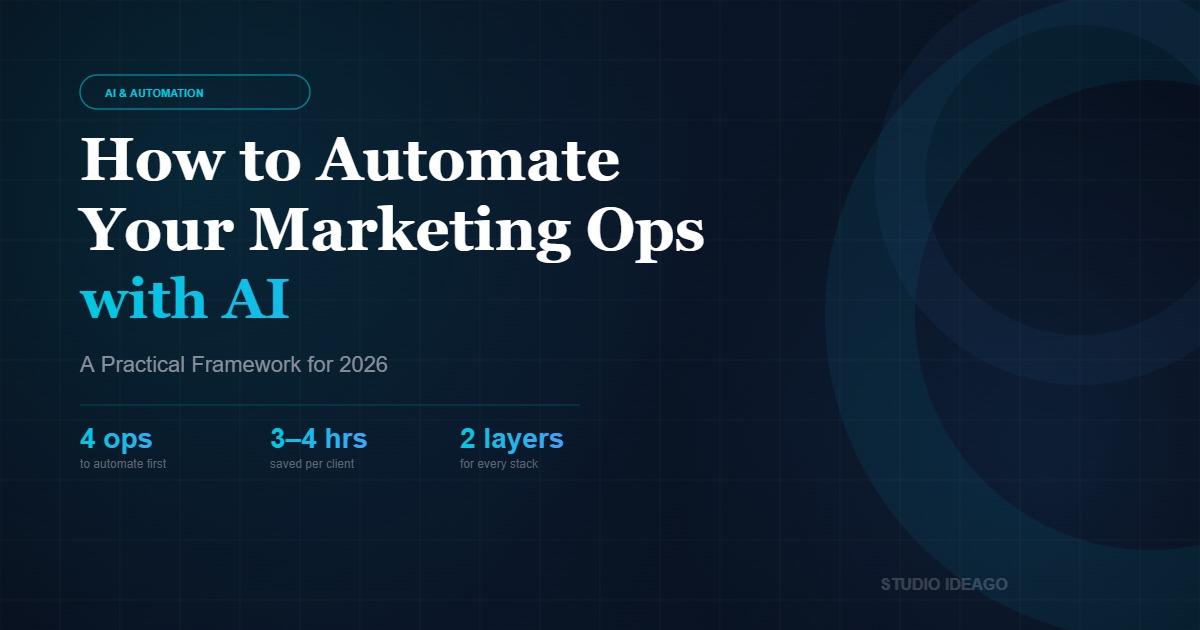
Cómo Automatizar tus Operaciones de Marketing con IA:
Un Framework Práctico para 2026

La mayoría de los equipos están ahogados en trabajo repetitivo mientras les dicen que «hagan más con IA.» El problema no es el acceso a herramientas — es saber qué operaciones automatizar primero y cómo conectarlas sin construir un sistema que se rompe ante el primer cambio.

4 ops
a automatizar primero
por retorno de inversión
3–4 hrs
ahorradas por cliente
cada semana
2 capas
que necesita
todo stack de IA

Qué Significa Realmente la Automatización de Marketing con IA (y qué no)

«Automatización con IA» se ha convertido en un término paraguas para todo, desde programar posts hasta que GPT-4 gestione toda tu estrategia de campaña. El resultado: mucho ruido y muy poca claridad sobre qué merece realmente la pena automatizar en una operación de marketing real.

Una definición útil: la automatización de marketing con IA es la eliminación sistemática de tareas repetitivas y dependientes de decisiones del flujo de trabajo diario de tu equipo. No reemplaza el juicio — reemplaza la ejecución mecánica que ocurre antes y después de las decisiones que importan.

Esa distinción determina tu ROI. Automatizar una tarea de 2 minutos que ocurre una vez al mes es un proyecto de vanidad. Automatizar una tarea de 30 minutos que ocurre 50 veces a la semana en cuentas de clientes es una transformación de negocio.

Tres categorías que vale la pena separar:

  • Automatización basada en reglas — triggers, secuencias, notificaciones. No requiere IA, aunque se etiqueta erróneamente como tal.
  • Automatización asistida por IA — la IA gestiona una subtarea específica (clasificación, redacción, resumen) dentro de un flujo supervisado por humanos.
  • Flujos autónomos con IA — agentes de IA ejecutan procesos de múltiples pasos de extremo a extremo, con revisión humana en puntos de control definidos.

Clave: En 2026, la mayoría de los equipos deben operar principalmente en la categoría asistida por IA y avanzar selectivamente hacia flujos autónomos para procesos bien definidos y de bajo riesgo. El objetivo es la potenciación — no el reemplazo del juicio estratégico.

Las 4 Operaciones que Todo Equipo Debería Automatizar Primero

No todo merece automatizarse a la vez. Estas cuatro deberían ir primero, ordenadas por ratio esfuerzo-impacto.

Horas semanales: Manual vs. Automatizado
Reporting y Datos
Manual: 4h
Automatizado: 15min
Cualificación de Leads
Manual: 3h
Automatizado: 20min
Reutilización de Contenido
Manual: 2.5h
Automatizado: 20min
Alertas de Rendimiento
Manual: 1.5h
Automatizado: tiempo real
■ Proceso manual■ Automatizado con IA

1. Reporting y consolidación de datos

El reporting manual es el mayor sumidero de tiempo en el trabajo de agencia. Extraer datos de GA4, Meta Ads, Google Ads y HubSpot cada semana para montar un informe de cliente es una tarea de 3–4 horas que debería requerir cero minutos de ejecución humana.

Una capa de datos conectada — Windsor.ai, Looker Studio, o un pipeline personalizado en Make.com — genera plantillas de informe automáticamente. El tiempo humano debe reservarse para la interpretación: detectar la anomalía, explicar la caída, recomendar el cambio.

💡 Herramientas que funcionan: Windsor.ai → Looker Studio → Make.com (entrega programada a Slack o email). Tiempo de configuración: 4–6 horas. Tiempo ahorrado por semana: 3–4 horas por cliente.

2. Cualificación y enrutamiento de leads

Cada lead entrante pasa por el mismo proceso manual: ¿está cualificado? ¿Quién lo gestiona? ¿Cuál es la secuencia de seguimiento? Este proceso es completamente automatizable con las herramientas CRM actuales.

Un workflow de HubSpot bien configurado puede puntuar leads, enrutarlos al responsable correcto, inscribirlos en la secuencia adecuada y notificar al equipo de ventas — todo antes de que un humano vea la notificación.

La regla: Si los criterios de cualificación están documentados, el enrutamiento es automatizable. Si tu equipo aún toma estas decisiones manualmente en cada lead, estás pagando tarifas humanas por trabajo de ejecución de reglas.

3. Reutilización y distribución de contenido

Crear un contenido largo y adaptarlo manualmente para LinkedIn, email y redes sociales es un proceso de 2–3 horas por pieza. Con un flujo asistido por IA, se convierte en 20 minutos de revisión sobre generación automatizada.

El flujo: publicar contenido largo → activar escenario Make.com → GPT-4 genera variantes por canal → borradores a Buffer/Notion para revisión → versiones aprobadas se publican según calendario.

⚠️ Lo que esto NO es: IA escribiendo tu estrategia o decidiendo qué decir. Es IA gestionando la traducción de formato y la mecánica de distribución — la parte que no requiere tu expertise.

4. Alertas de rendimiento y detección de anomalías

Para cuando detectas que una campaña de Meta lleva tres días gastando de más, ya has desperdiciado presupuesto. La monitorización automatizada — alertas por umbrales, detección de anomalías, verificaciones diarias de presupuesto — debería estar activa en cada cuenta.

Construye un monitor en Make.com que compruebe métricas clave contra líneas base diariamente y dispare una alerta en Slack con contexto cuando algo supere el umbral.

¿Quieres que lo construyamos para tu agencia?

Diseñamos e implementamos sistemas de operaciones de marketing con IA — desde pipelines de reporting hasta flujos autónomos de leads.

Reserva una auditoría gratuita →

Cómo Construir tu Stack de IA (Sin Sobreingenierizar)

La mayoría de los equipos comete uno de dos errores: comprar una docena de herramientas sin plan de integración, o esperar el sistema «perfecto» antes de automatizar nada. Ambos enfoques matan el momentum.

El framework práctico tiene dos capas:

Capa 1 — Infraestructura de Datos
GA4
Tracking conversiones
Windsor.ai
Multicanal
HubSpot CRM
Datos de leads
Looker Studio
Reporting
⬇ los datos fluyen de forma fiable ⬇
Capa 2 — Orquestación de Workflows
Make.com
Orquestación
GPT-4 API
IA de contenido
Slack
Alertas y comunicación
HubSpot
Secuencias

Capa 1 — Infraestructura de datos

Antes de poder automatizar algo con sentido, los datos deben fluir de forma fiable entre sistemas: GA4 con seguimiento de conversiones, un CRM que recibe y almacena los datos de leads, plataformas de anuncios conectadas via API, y una capa de reporting central que extrae de todas las fuentes.

Sin esta capa, tus automatizaciones se construirán sobre inputs poco fiables. Arregla la fontanería antes de añadir la automatización.

Capa 2 — Orquestación de workflows

Una vez que los datos fluyen, puedes construir workflows que actúen sobre ellos. La capa de orquestación suele ser Make.com o n8n — escenarios que observan triggers y ejecutan una secuencia de acciones en las herramientas conectadas.

Empieza con un workflow. Constrúyelo con calidad de producción. Mide el tiempo que ahorra. Luego expande.

Stack recomendado para 2026: Windsor.ai + Looker Studio (reporting) · HubSpot (CRM + secuencias) · Make.com (orquestación) · GPT-4 via API (IA de contenido) · Slack (alertas y comunicación). Esto cubre el 80% de lo que necesita un equipo moderno de marketing ops.

Los Errores que Destruyen el ROI de la IA en Marketing

Tras implementar sistemas de automatización para múltiples clientes en SaaS B2B, ecommerce y servicios profesionales, los patrones de fallo son consistentes.

Automatizar antes de documentar. No puedes automatizar un proceso que no has definido. Documenta primero. Automatiza después.

Sin punto de control humano en los outputs de IA. Una alucinación de GPT-4 en un informe para el cliente, un lead mal clasificado — estos son fallos reales. Construye checkpoints donde los humanos revisen antes de que cualquier cosa llegue al exterior.

Tratar la automatización como una configuración única. Las herramientas se actualizan, las APIs cambian. Una automatización construida en enero puede fallar silenciosamente en junio. Asigna responsabilidad, construye monitorización, programa revisiones trimestrales.

⚠️ El test de ROI: Antes de construir cualquier automatización, calcula el coste real de tiempo del proceso manual. Si es menos de 1 hora/mes, automatízalo al final. Si es más de 5 horas/mes, automatízalo esta semana.

Preguntas Frecuentes

¿Necesito un desarrollador para implementar automatización de marketing con IA?

Para la mayoría de los flujos descritos aquí — no. Herramientas como Make.com, HubSpot y Windsor.ai están diseñadas para marketers. Necesitas a alguien con pensamiento sistémico y paciencia para la configuración, no un desarrollador.

¿Cuál es la diferencia entre Make.com y Zapier para automatización de marketing?

Ambos gestionan la orquestación de workflows, pero Make.com ofrece lógica más compleja (ramificación, iteradores, transformación de datos) a un menor coste por operación. Para workflows sofisticados de marketing ops, Make.com es la mejor opción en 2026.

¿Cuánto tiempo se tarda en ver ROI de la automatización de marketing?

Para automatización de reporting: inmediato. Para workflows de cualificación de leads: 2–4 semanas. Para reutilización de contenido: aumento visible en el primer mes. El efecto compuesto se vuelve significativo a los 3–6 meses.

¿Pueden los equipos pequeños (menos de 5 personas) implementar esto realmente?

Sí — y a menudo son los mayores beneficiarios. Un equipo de 3 personas que recupera 10 horas/semana a través de la automatización añade efectivamente un miembro de equipo a tiempo parcial sin coste.

¿Es seguro usar contenido generado por IA en materiales para clientes?

Con revisión humana, sí. Sin revisión, no. El protocolo: la IA redacta, el humano edita y aprueba, el humano envía. Nunca automatices el paso de aprobación final en contenido externo.

¿Listo para Construir tu Sistema de Marketing Ops con IA?

Auditamos tus operaciones actuales, identificamos las oportunidades de automatización con mayor ROI e implementamos el stack completo. Utilizado por agencias y equipos internos que gestionan presupuestos de anuncios de 6–8 cifras.

Obtén tu auditoría gratuita →

Nacho Hernández

Fundador de Studio Ideago. Consultor de marketing y negocio especializado en operaciones de marketing potenciadas por IA, medios de pago y estrategia CRM para empresas en fase de crecimiento en Europa y EEUU.

Categorías
Blog post

How to Automate Your Marketing Operations with AI: A Practical Framework for 2026

AI & AUTOMATION
MARKETING OPS

How to Automate Your Marketing Operations with AI:
A Practical Framework for 2026

Most teams are drowning in repetitive work while being told to «do more with AI.» The problem isn’t access to tools — it’s knowing which operations to automate first, and how to connect them without building a system that breaks the moment something changes.

4 ops
to automate first,
ranked by ROI
3–4 hrs
saved per client
per week
2 layers
every AI stack
needs to work

In this post
  • What AI marketing automation actually means
  • The 4 operations to automate first
  • Time saved: manual vs. automated
  • How to build your AI ops stack
  • Mistakes that kill ROI
  • FAQ

What AI Marketing Automation Actually Means (vs. the Hype)

«AI automation» has become a catch-all for everything from scheduling posts to having GPT-4 run your entire campaign strategy. The result is a lot of noise and very little clarity on what’s actually worth automating in a real marketing operation.

A useful working definition: AI marketing automation is the systematic removal of decision-dependent, repeatable tasks from your team’s daily workflow. Not replacing judgment — replacing the mechanical execution that happens before and after the decisions that matter.

That distinction determines your ROI. Automating a 2-minute task that happens once a month is a vanity project. Automating a 30-minute task that happens 50 times a week across client accounts is a business transformation.

Three categories worth separating:

  • Rule-based automation — triggers, sequences, notifications. No AI required, though it’s often mislabeled as AI.
  • AI-assisted automation — AI handles a specific subtask (classification, drafting, summarizing) within a human-supervised workflow.
  • Autonomous AI workflows — AI agents execute multi-step processes end to end, with human review at defined checkpoints.

Key insight: In 2026, most marketing teams should operate primarily in the AI-assisted category and selectively push into autonomous workflows for well-defined, low-risk processes. The goal is augmentation — not replacement of strategic judgment.

The 4 Operations Every Marketing Team Should Automate First

Not everything is worth automating at once. These four should come first, ranked by effort-to-impact ratio.

Weekly Hours: Manual vs. Automated
Reporting & Data
Manual: 4h
Automated: 15min

Lead Qualification
Manual: 3h
Automated: 20min

Content Repurposing
Manual: 2.5h
Automated: 20min

Performance Alerts
Manual: 1.5h
Automated: real-time

■ Manual workflow
■ AI-automated

1. Reporting and data consolidation

Manual reporting is the single biggest time sink in agency work. Pulling numbers from GA4, Meta Ads, Google Ads, and HubSpot every week to assemble a client report is a 3–4 hour task that should require zero minutes of human execution time.

A connected data layer — Windsor.ai, Looker Studio, or a custom Make.com pipeline — auto-generates report templates on a schedule. Human time should be reserved entirely for interpretation: spotting the anomaly, explaining the drop, recommending the change. Not pulling the data.

💡 Tools that work: Windsor.ai (multi-channel connector) → Looker Studio (templated reports) → Make.com (scheduled delivery to Slack or email). Setup time: 4–6 hours. Weekly time saved: 3–4 hours per client.

2. Lead qualification and routing

Every inbound lead — form submission, demo request, trial signup — goes through the same manual triage: is this qualified? Who owns it? What’s the follow-up sequence? This process is entirely automatable with existing CRM tools.

A properly configured HubSpot workflow can score incoming leads based on company size, role, source, and behavior signals, route them to the right owner, enroll them in the correct sequence, and notify the sales team — all before a human even sees the notification.

The rule: If the qualification criteria are documented, the routing is automatable. If your team is still making these decisions manually on every lead, you’re paying human rates for rule-execution work.

3. Content repurposing and distribution

Creating a long-form piece of content — a blog post, a webinar, a case study — and then manually adapting it for LinkedIn, email, and social is a 2–3 hour process per piece. With an AI-assisted workflow, it becomes 20 minutes of review on top of automated generation.

The workflow: publish long-form content → trigger Make.com scenario → GPT-4 generates channel-specific variants → drafts land in Buffer/Notion for human review → approved versions publish on schedule.

⚠️ What this is NOT: AI writing your strategy or deciding what to say. It’s AI handling format translation and distribution mechanics — the part that doesn’t require your expertise.

4. Campaign performance alerts and anomaly detection

By the time you notice a Meta campaign has been overspending for three days, you’ve already wasted budget. Automated performance monitoring — threshold alerts, anomaly detection, daily budget checks — should be running on every active account.

Set rules in GA4, Meta Ads Manager, and Google Ads. Build a Make.com monitor that checks key metrics against baselines daily and fires a Slack alert with context when something breaks threshold. This is not complex to build and it prevents expensive oversights.

Want this built for your agency or client accounts?

We design and implement AI marketing operations systems — from reporting pipelines to autonomous lead workflows. Book a free audit.

Book a free audit →

How to Build Your AI Ops Stack (Without Overengineering It)

Most teams make one of two mistakes: they either buy a dozen tools with no integration plan, or they wait for the «perfect» system before automating anything. Both approaches kill momentum.

The practical framework has two layers:

Layer 1 — Data Infrastructure
GA4
Conversion Tracking
Windsor.ai
Multi-channel
HubSpot CRM
Lead Data
Looker Studio
Reporting

⬇ data flows reliably ⬇
Layer 2 — Workflow Orchestration
Make.com
Orchestration
GPT-4 API
Content AI
Slack
Alerts & Comms
HubSpot
Sequences

Layer 1 — Data infrastructure

Before you can automate anything meaningfully, data needs to flow reliably between systems. This means: GA4 properly configured with conversion tracking, a CRM that actually receives and stores lead data, ad platforms connected via API (not manual exports), and a central reporting layer that pulls from all sources.

Without this layer, your automations will be built on unreliable inputs. Fix the plumbing before you add the automation.

Layer 2 — Workflow orchestration

Once data flows, you can build workflows that act on it. The orchestration layer is typically Make.com or n8n — scenarios that watch for triggers (a new lead, a performance threshold crossed, a content piece published) and execute a sequence of actions across connected tools.

Start with one workflow. Build it to production quality. Measure the time it saves. Then expand. The compounding effect of well-built automations is significant — but only if they’re reliable. One broken automation that silently fails costs more than the time it was supposed to save.

Stack recommendation for 2026: Windsor.ai + Looker Studio (reporting) · HubSpot (CRM + sequences) · Make.com (orchestration) · GPT-4 via API (content AI) · Slack (alerts + team comms). This covers 80% of what a modern marketing ops team needs.

The Mistakes That Kill AI Marketing ROI

After implementing automation systems for multiple clients across B2B SaaS, ecommerce, and professional services, the failure patterns are consistent.

Automating before documenting. You cannot automate a process you haven’t defined. Teams that jump to automation before documenting the manual workflow build automations that codify bad habits or miss edge cases. Document first. Automate second.

No human checkpoint on AI outputs. Autonomous AI workflows without review gates create risk. A GPT-4 hallucination in a client-facing report, a misclassified lead sent to the wrong sequence — these are real failure modes. Build checkpoints where humans review before anything external-facing goes out.

Treating automation as a one-time setup. Tools update, APIs change, data structures evolve. An automation built in January may fail silently in June. Assign ownership, build monitoring, and schedule quarterly reviews of every automation in your stack.

⚠️ The ROI test: Before building any automation, calculate the actual time cost of the manual process. If it’s less than 1 hour/month, automate it last. If it’s more than 5 hours/month, automate it this week.

FAQ

Do I need a developer to implement AI marketing automation?

For most of the workflows described here — no. Tools like Make.com, HubSpot, and Windsor.ai are designed for marketers. You need someone with systems thinking and patience for configuration, not a developer. The exception is custom API integrations or tools that don’t have native connectors.

What’s the difference between Make.com and Zapier for marketing automation?

Both handle workflow orchestration, but Make.com offers more complex logic (branching, iterators, data transformation) at a lower cost per operation. For simple linear automations, Zapier is easier to set up. For sophisticated marketing ops workflows — especially those involving data transformation or conditional routing — Make.com is the better choice in 2026.

How long does it take to see ROI from marketing automation?

For reporting automation: immediate — the first week the report auto-generates, you’ve saved the time. For lead qualification workflows: 2–4 weeks to see conversion rate impact as leads hit the right sequences faster. For content repurposing: visible output increase within the first month. The compounding effect becomes significant at 3–6 months.

Can small teams (under 5 people) realistically implement this?

Yes — and they’re often the biggest beneficiaries. A 3-person team that reclaims 10 hours/week through automation effectively adds a part-time team member at zero cost. Start with reporting automation and one lead workflow. That alone transforms capacity.

Is AI-generated content safe to use in client-facing materials?

With human review, yes. Without review, no. The practical protocol: AI drafts, human edits and approves, human sends. The AI handles volume and format; the human ensures accuracy, tone, and strategic alignment. Never automate the final approval step on external content.

Ready to Build Your AI Marketing Ops System?

We audit your current operations, identify the highest-ROI automation opportunities, and implement the full stack — from data infrastructure to autonomous workflows. Used by agencies and in-house teams managing 6–8 figure ad budgets.

Get your free ops audit →

Nacho Hernández

Founder of Studio Ideago. Marketing and business consultant specializing in AI-powered marketing operations, paid media, and CRM strategy for growth-stage companies across Europe and the US.

Categorías
Entrada de Blog

La Brecha en las Operaciones de Marketing con IA: Por Qué el 88% de los Marketers Usa IA Pero Solo un Tercio Ve Resultados Reales

Marketing con IAOperacionesAutomatización· 12 min lectura

La Brecha en las Operaciones de Marketing con IA: Por Qué el 88% de los Marketers Usa IA Pero Solo un Tercio Ve Resultados Reales

El 88% de los marketers usa IA, pero solo un tercio ve resultados reales. Lo que falta no es otra herramienta — es la infraestructura operativa que hace que la IA funcione de verdad.

Idea Clave

La IA no falla por malas herramientas. Falla porque la mayoría de las empresas agregan IA sobre procesos rotos. Arregla las operaciones primero, luego agrega IA — y los resultados se multiplican.

Los datos son contundentes: el 88% de los marketers ya usa IA en su trabajo diario, pero solo una de cada tres organizaciones ha logrado escalar la IA más allá de experimentos aislados.

Esto significa que la mayoría de las empresas están gastando dinero en herramientas de IA, celebrando «victorias rápidas» en contenido o copys de anuncios, y perdiendo por completo la oportunidad estructural: transformar cómo opera realmente su marketing.

Esto es lo que llamamos la Brecha en las Operaciones de Marketing con IA — y es la principal razón por la que las empresas invierten en IA pero nunca ven un ROI significativo.

¿No sabes exactamente dónde están tus operaciones de marketing? Obtén una imagen clara en 15 minutos.

Consigue tu Evaluación Gratuita de Operaciones con IA

Qué Significan Realmente las Operaciones de Marketing con IA en 2026

Las operaciones de marketing con IA (AI MarOps) son la práctica de usar inteligencia artificial para optimizar los sistemas, flujos de trabajo e infraestructura de datos que impulsan tu marketing — no solo tareas individuales.

Es la diferencia entre usar ChatGPT para escribir un email (una tarea) y construir un sistema donde los leads se califican, segmentan, nutren y entregan a ventas automáticamente basado en datos de comportamiento real — todo con la IA tomando decisiones en cada paso.

En 2026, el mercado global de marketing con IA ha alcanzado los $47.32 mil millones y se proyecta que llegue a $107.5 mil millones para 2028. Pero el tamaño del mercado no equivale a madurez. La mayoría de esa inversión está concentrada en herramientas, no en la capa operativa que hace que funcionen juntas.

Esto es lo que cubren las AI MarOps:

  • Infraestructura de datos: Datos limpios y unificados que alimentan cada herramienta de tu stack — CRM, ads, email, analytics.
  • Automatización de flujos: Secuencias impulsadas por IA que reemplazan los traspasos manuales entre marketing, ventas y customer success.
  • Gestión inteligente de leads: Scoring, enrutamiento y nurturing basados en señales de comportamiento, no solo en formularios completados.
  • Analytics predictivo: Predecir qué campañas, canales o segmentos generarán ingresos — antes de gastar el presupuesto.
  • Orquestación cross-channel: IA coordinando mensajes a través de email, ads, redes sociales y web en tiempo real, adaptándose al journey de cada usuario.

La conclusión clave: Las AI MarOps no se tratan de tener más herramientas de IA. Se trata de tener el esqueleto operativo que permite que la IA entregue resultados a escala.

La Brecha de Operaciones que Nadie Menciona

Seamos directos: la mayoría de las empresas tienen un problema de herramientas disfrazado de problema de IA.

Se suscriben a 8–15 herramientas de marketing. Tienen un CRM que apenas usan correctamente. Sus datos viven en silos — Google Ads sabe una cosa, HubSpot sabe otra, y la hoja de cálculo en el escritorio de alguien sabe una tercera.

Luego agregan una herramienta de IA encima y se preguntan por qué no funciona. Esa es la brecha operativa.

Las tres capas de madurez en marketing con IA

  • Capa 1 — IA como asistente de tareas (donde está el 88%): Usando IA para tareas individuales: escribir copys, generar imágenes, resumir reportes. Útil, pero impacto marginal en ingresos.
  • Capa 2 — Flujos mejorados con IA (donde está ~25%): IA integrada en flujos específicos: lead scoring automático, smart bidding, tiempos de envío predictivos. Mejor, pero aún fragmentado.
  • Capa 3 — Operaciones impulsadas por IA (donde está menos del 10%): La IA orquesta toda la operación de marketing: datos fluyen entre sistemas, workflows se activan por señales en tiempo real, y las decisiones las toma la IA en todo el funnel. Aquí vive el verdadero ROI.

La brecha entre la Capa 1 y la Capa 3 no es una brecha tecnológica — es una brecha operativa. Y cerrarla requiere auditar, reestructurar y conectar lo que ya tienes antes de agregar cualquier cosa nueva.

7 Señales de que Tu Stack de Marketing Necesita una Auditoría de Operaciones con IA

Antes de invertir en otra herramienta de IA, revisa si alguna de estas te suena familiar:

  1. Tu CRM es un cementerio de datos. Los contactos entran, pero nada significativo sale. Sin lead scoring, sin etapas de lifecycle, sin traspasos automáticos a ventas.
  2. Tus herramientas de marketing no se hablan entre sí. Los datos de Google Ads viven en Google, los de email en tu ESP, los del CRM en HubSpot — y nadie tiene una vista unificada del customer journey.
  3. Mides clics, no clientes. Tus dashboards muestran impresiones, CTR y tasas de apertura, pero no puedes trazar una campaña hasta ingresos reales.
  4. El seguimiento de leads es manual e inconsistente. Un lead llena un formulario el lunes, recibe respuesta el jueves — si es que la recibe.
  5. Tu equipo pasa más tiempo en operaciones que en estrategia. Exportando CSVs, formateando reportes, moviendo datos manualmente entre herramientas.
  6. Has agregado herramientas de IA pero el ROI no cambió. Pagas por IA de escritura, IA de analytics, IA de optimización de ads — pero el rendimiento global de marketing sigue igual.
  7. Nadie es responsable del stack de tecnología de marketing. No hay un propietario claro de cómo se conectan las herramientas, cómo fluyen los datos o cómo se mantienen los workflows.

Si tres o más de estas aplican, tienes un problema de operaciones — y ninguna cantidad de nuevas herramientas de IA lo resolverá sin atender primero la infraestructura.

Los 5 Pilares de Operaciones de Marketing Listas para IA

Pilar 1

Datos Limpios y Conectados

La IA es tan buena como los datos que procesa. Si tu CRM tiene contactos duplicados, campos vacíos y convenciones de nombres inconsistentes, ninguna herramienta de IA te salvará.

  • Audita tu CRM: elimina duplicados, estandariza campos, exige propiedades obligatorias.
  • Establece una única fuente de verdad (usualmente tu CRM) y conecta todas las herramientas a ella.
  • Implementa rutinas de higiene de datos: auditorías trimestrales, deduplicación automática, reglas de validación.
Pilar 2

Customer Journey Definido

No puedes automatizar lo que no has mapeado. Antes de agregar IA, define las etapas por las que pasa un cliente.

  • Mapea tus lifecycle stages: Suscriptor → Lead → MQL → SQL → Oportunidad → Cliente → Promotor.
  • Define qué dispara un cambio de etapa (¿un formulario? ¿un demo agendado? ¿una propuesta enviada?).
  • Alinea marketing y ventas en definiciones — ¿qué es exactamente un MQL en tu empresa?
Pilar 3

Automatización Inteligente de Flujos

Reemplaza los traspasos manuales con workflows automatizados y mejorados con IA. Aquí es donde vive la mayor parte del ahorro de tiempo.

  • Automatiza la asignación de leads según geografía, idioma, tamaño de deal o interés de producto.
  • Construye workflows de nurturing activados por comportamiento, no solo por tiempos de espera.
  • Crea sistemas de notificación interna para leads calientes, deals estancados y fechas de renovación.
  • Usa IA para optimizar tiempos de envío, variantes de contenido y secuencias de seguimiento.
Pilar 4

Reporting Unificado y Atribución

Si no puedes conectar la actividad de marketing con ingresos, estás volando a ciegas. Los modelos de atribución con IA pueden hacerlo — pero solo si la base de datos está lista.

  • Conecta plataformas de ads, CRM y analytics en una sola vista de reporting.
  • Implementa atribución multi-touch (no solo last-click).
  • Construye dashboards que respondan preguntas de negocio: ¿qué campañas generan clientes (no solo clics)?
  • Usa forecasting con IA para predecir pipeline e ingresos basado en datos actuales.
Pilar 5

Integración Escalable de IA

Solo después de que los pilares 1–4 estén en su lugar deberías invertir en capacidades avanzadas de IA. Ahora sí van a funcionar.

  • Lead scoring con IA que aprende de tus datos históricos de conversión.
  • Optimización predictiva de campañas que reasigna presupuesto en tiempo real.
  • Contenido generado por IA personalizado por segmento, etapa y comportamiento.
  • IA conversacional (chatbots, asistentes de email) basada en los datos reales de tu CRM.
  • Reporting automatizado con insights y recomendaciones generadas por IA.

Paso a Paso — Cómo Auditar Tus Operaciones de Marketing para la IA

Antes de invertir en más herramientas de IA, necesitas una imagen clara de dónde estás parado. Una auditoría de operaciones no es una revisión técnica — es un diagnóstico estratégico que revela exactamente dónde la IA puede generar impacto real y dónde solo generaría más caos.

1

Mapea tus flujos de datos

Documenta cada punto donde los datos de marketing se crean, se mueven o se transforman. Incluye fuentes de leads, CRM, plataformas de email, herramientas de ads y analytics. Busca silos — son los principales asesinos de la eficacia de la IA.

2

Evalúa la calidad de los datos

Ejecuta un análisis de higiene de datos: duplicados, campos faltantes, propiedades inconsistentes y registros desactualizados. La IA amplifica lo que ya existe — datos sucios significan resultados sucios, más rápido.

3

Identifica cuellos de botella en los procesos

Señala los flujos de trabajo que dependen de intervención manual. ¿Dónde se pierden leads? ¿Dónde los traspasos entre equipos se rompen? Estos son los puntos de mayor palanca para la automatización con IA.

4

Evalúa las capacidades de tu stack

¿Tu stack de marketing actual soporta integraciones API? ¿Puede manejar ingesta de datos en tiempo real? Si estás usando herramientas que no se comunican entre sí, ninguna capa de IA podrá superar esa fragmentación.

5

Prioriza las oportunidades de IA

Clasifica los casos de uso potenciales de IA por impacto vs. esfuerzo. Comienza con las victorias rápidas (lead scoring, personalización de emails) y avanza hacia proyectos de mayor complejidad (modelos predictivos, atribución multi-touch).

Tip Pro: Realiza esta auditoría cada trimestre. Las operaciones de marketing evolucionan rápidamente, y lo que era adecuado hace seis meses puede ser un cuello de botella hoy.

Casos de Uso — Cómo Se Ven las Operaciones Preparadas para IA en la Práctica

E-Commerce DTC

Antes

Un retailer de moda con datos de CRM fragmentados y sin integración entre su e-commerce, email y ads. Cada canal funcionaba en silos, con reporting mensual en hojas de cálculo.

Después de la Auditoría de Operaciones

Datos de CRM limpios integrados con plataforma e-commerce, email marketing y ads. Implementación de optimización creativa dinámica con IA en tiempo real.

+42% ROASMejora general
-60%Tiempo de producción creativa

B2B SaaS

Antes

Una empresa de software de mediano tamaño con CRM, marketing automation y sistema de ticketing completamente desconectados. Sin lead scoring, con traspasos manuales a ventas.

Después de la Auditoría de Operaciones

Stack unificado con lead scoring predictivo que aprende de datos históricos. Los leads se asignan automáticamente y entran en workflows de nurturing basados en comportamiento.

+35% SQL→OportunidadMejora en tasa de conversión
-3 semanasCiclo de ventas reducido

Servicios Profesionales

Antes

Una consultora con CRM desconectado de sus herramientas de gestión de proyectos y plataformas de contenido. La segmentación de audiencias y personalización se hacían manualmente.

Después de la Auditoría de Operaciones

CRM integrado con herramientas de proyectos y plataformas de contenido. La automatización con IA maneja la segmentación, personalización de propuestas y seguimiento de clientes.

+28% retenciónMejora en retención de clientes
-70%Tiempo en tareas de reporting

Errores Comunes al Implementar IA en las Operaciones de Marketing

  • 01
    Comprar herramientas de IA sin arreglar los datos primero. La IA no es magia — basura que entra, basura que sale. Si tus datos de CRM están sucios, la IA solo automatizará el caos más rápido.
  • 02
    Tratar la IA como un proyecto puntual. Las operaciones de marketing con IA necesitan gobernanza continua, monitoreo y optimización. No es instalar y olvidar.
  • 03
    Ignorar la gestión del cambio. Tu equipo necesita entender no solo cómo usar las herramientas de IA, sino por qué las operaciones cambiaron. Sin alineación, la adopción fracasa.
  • 04
    Sobreautomatizar demasiado rápido. Automatizar procesos rotos solo crea desastres más rápidos. Arregla el proceso primero, luego automatiza.
  • 05
    No medir el impacto operacional. El ROI de la IA no es solo ingresos — es velocidad, eficiencia, calidad de datos y escalabilidad. Si solo miras el revenue, te pierdes el 80% del valor.
  • 06
    Silos entre equipos. Cuando marketing, ventas y operaciones no comparten la misma visión de datos, las herramientas de IA amplifican las inconsistencias en lugar de resolverlas.

Checklist de Preparación para Operaciones con IA

Acción Impacto
Datos de CRM limpios y deduplicados Muy Alto
Lifecycle stages definidos y en uso Muy Alto
Marketing y ventas alineados en definiciones de MQL/SQL Muy Alto
Todas las herramientas conectadas al CRM como fuente única de verdad Alto
Asignación de leads automatizada Alto
Workflows de nurturing activos y basados en comportamiento Alto
Atribución multi-touch implementada Alto
Dashboard unificado que conecta campañas con ingresos Alto
Lead scoring con IA activo Medio
Revisión trimestral de operaciones programada Alto

¿Listo para cerrar tu brecha de operaciones con IA?

En Studio Ideago auditamos tu stack de marketing, identificamos los cuellos de botella y construimos un roadmap claro hacia operaciones listas para IA — sin interrumpir tu operación diaria.

Mira Cómo Puntúa Tu Stack — Evaluación Gratuita

FAQ — Preguntas Frecuentes sobre Operaciones de Marketing con IA

¿Tengo que reemplazar todas mis herramientas actuales?

Casi nunca. El objetivo es conectar y optimizar lo que ya tienes. La mayoría de las empresas tienen el 80% de las herramientas que necesitan — simplemente no las están usando bien ni conectándolas correctamente.

¿Cuánto tarda una auditoría de operaciones con IA?

Una auditoría ligera tarda 1–2 semanas. Una auditoría completa — cubriendo todo tu stack, calidad de datos, workflows y reporting — típicamente tarda 3–4 semanas. El roadmap de implementación de 90 días sigue después de eso.

¿Cuál es el ROI típico de arreglar las operaciones de marketing?

Varía por empresa, pero las ganancias más comunes son tiempos de respuesta a leads más rápidos (con frecuencia de días a horas), tasas de cierre más altas (8–15 puntos porcentuales no es inusual), y ahorro significativo en reporting manual — a menudo una reducción del 60–80%.

¿Esto es solo para empresas grandes?

Para nada. Las empresas con 15–100 empleados suelen obtener los mayores retornos porque las mejoras operativas son simples de implementar y el impacto en ingresos es inmediato y medible.

¿Qué pasa si mi equipo no tiene habilidades técnicas?

La mayoría de las herramientas involucradas — HubSpot, Google Analytics, Meta Ads — están diseñadas para marketers no técnicos. El marco operativo se trata de diseño de procesos y configuración, no de programar. Nosotros manejamos la capa técnica cuando es necesario.

Nacho Hernández

Arquitecto de Operaciones con IA y Consultor de Marketing con más de 12 años ayudando a empresas B2B y B2C a construir sistemas de marketing que realmente escalan. Fundador de Studio Ideago. Conecta en LinkedIn

Categorías
Blog post

The AI Marketing Operations Gap: Why 88% of Marketers Use AI But Only a Third See Real Results

AI MarketingOperationsAutomation· 12 min read

The AI Marketing Operations Gap: Why 88% of Marketers Use AI But Only a Third See Real Results

88% of marketers use AI, but only a third see real results. The missing piece isn’t another tool — it’s the operational infrastructure that makes AI actually work.

Key Idea

AI doesn’t fail because of bad tools. It fails because most companies bolt AI onto broken operations.

The data is brutal: 88% of marketers now use AI in their daily work, yet only about one in three organizations has moved beyond isolated experiments to scale AI across their operations.

In my experience working with marketing teams across industries, most companies are spending money on AI tools, celebrating «quick wins» in content or ad copy, and completely missing the structural opportunity underneath: transforming how their marketing actually operates.

This is what we call the AI Marketing Operations Gap — and it is the single biggest reason companies invest in AI and see flat results.

Not sure where your marketing operations stand? Get a clear picture in 15 minutes.

Get Your Free AI Operations Assessment

What AI Marketing Operations Actually Means in 2026

AI marketing operations (AI MarOps) is the practice of using artificial intelligence to optimize the systems, workflows, and data infrastructure that power your marketing — not just individual tasks.

It’s the difference between using ChatGPT to write an email (a task) and building a system where leads are automatically scored, segmented, nurtured, and handed to sales based on real behavioral data — all with AI making the decisions at each step.

In 2026, the global AI marketing market has reached $47.32 billion and is projected to climb to $107.5 billion by 2028. But market size doesn’t equal market readiness. Most of that investment is concentrated in tools, not in the operational layer that makes those tools actually work together.

Here’s what AI MarOps covers:

  • Data infrastructure: Clean, unified data that feeds every tool in your stack — CRM, ads, email, analytics.
  • Workflow automation: AI-driven sequences that replace manual handoffs between marketing, sales, and customer success.
  • Intelligent lead management: Scoring, routing, and nurturing powered by behavioral signals, not just form fills.
  • Predictive analytics: Forecasting which campaigns, channels, or segments will deliver revenue — before you spend the budget.
  • Cross-channel orchestration: AI coordinating messages across email, ads, social, and web in real time, adapting to each user’s journey.

The key insight: AI MarOps is not about having more AI tools. It’s about having the operational backbone that lets AI actually deliver results at scale.

The Operations Gap Nobody Talks About

Let’s be direct: most companies have a tool problem disguised as an AI problem.

They subscribe to 8–15 marketing tools. They have a CRM they barely use properly. Their data lives in silos — Google Ads knows one thing, HubSpot knows another, and the spreadsheet on someone’s desktop knows a third.

Then they add an AI tool on top and wonder why it doesn’t work. This is the operations gap.

The three layers of AI marketing maturity

  • Layer 1 — AI as a task assistant (where 88% of companies are): Using AI for individual tasks: writing copy, generating images, summarizing reports. Useful, but marginal impact on revenue.
  • Layer 2 — AI-enhanced workflows (where ~25% of companies are): AI is embedded in specific workflows: automated lead scoring, smart bidding, predictive send times. Better, but still fragmented.
  • Layer 3 — AI-powered operations (where fewer than 10% of companies are): AI orchestrates the entire marketing operation: data flows cleanly between systems, workflows trigger based on real-time signals, and decisions are made by AI across the full funnel. This is where the real ROI lives.

The gap between Layer 1 and Layer 3 is not a technology gap — it’s an operations gap. And closing it requires auditing, restructuring, and connecting what you already have before adding anything new.

7 Signs Your Marketing Stack Needs an AI Operations Audit

Before investing in another AI tool, check if any of these sound familiar:

  1. Your CRM is a data cemetery. Contacts go in, but nothing meaningful comes out. No lead scoring, no lifecycle stages, no automated handoffs to sales.
  2. Your marketing tools don’t talk to each other. Google Ads data lives in Google, email data in your ESP, CRM data in HubSpot — and nobody has a unified view of the customer journey.
  3. You’re measuring clicks, not customers. Your dashboards show impressions, CTR, and open rates, but you can’t trace a campaign to actual revenue.
  4. Lead follow-up is manual and inconsistent. A lead fills out a form on Monday, gets a response on Thursday — if at all.
  5. Your team spends more time on operations than strategy. Exporting CSVs, formatting reports, manually moving data between tools.
  6. You’ve added AI tools but ROI hasn’t changed. You’re paying for AI writing, AI analytics, AI ads optimization — but overall marketing performance is flat.
  7. Nobody owns the marketing technology stack. There’s no clear owner of how tools connect, how data flows, or how workflows are maintained.

If three or more of these apply, you have an operations problem — and no amount of new AI tools will fix it without addressing the infrastructure first.

The 5 Pillars of AI-Ready Marketing Operations

Pillar 1

Clean, Connected Data

AI is only as good as the data it processes. If your CRM has duplicate contacts, missing fields, and inconsistent naming conventions, no AI tool will save you.

  • Audit your CRM: remove duplicates, standardize fields, enforce required properties.
  • Establish a single source of truth (usually your CRM) and connect all tools to it.
  • Implement data hygiene routines: quarterly audits, automated deduplication, validation rules.
Pillar 2

Defined Customer Journey

You can’t automate what you haven’t mapped. Before layering AI, define the stages a customer moves through.

  • Map your lifecycle stages: Subscriber → Lead → MQL → SQL → Opportunity → Customer → Advocate.
  • Define what triggers a stage change (a form fill? a demo booked? a proposal sent?).
  • Align marketing and sales on definitions — what exactly is an MQL at your company?
Pillar 3

Intelligent Workflow Automation

Replace manual handoffs with automated, AI-enhanced workflows. This is where most of the time savings live.

  • Automate lead assignment based on geography, language, deal size, or product interest.
  • Build nurturing workflows triggered by behavior, not just time delays.
  • Create internal notification systems for hot leads, stalled deals, and renewal dates.
  • Use AI to optimize send times, content variants, and follow-up sequences.
Pillar 4

Unified Reporting & Attribution

If you can’t connect marketing activity to revenue, you’re flying blind. AI-powered attribution models can now do this — but only if the data foundation is there.

  • Connect ad platforms, CRM, and analytics into a single reporting view.
  • Implement multi-touch attribution (not just last-click).
  • Build dashboards that answer business questions: which campaigns generate customers (not just clicks)?
  • Use AI forecasting to predict pipeline and revenue based on current data.
Pillar 5

Scalable AI Integration

Only after pillars 1–4 are in place should you invest in advanced AI capabilities. Now they’ll actually work.

  • AI lead scoring that learns from your historical conversion data.
  • Predictive campaign optimization that reallocates budget in real time.
  • AI-generated content personalized by segment, stage, and behavior.
  • Conversational AI (chatbots, email assistants) grounded in your actual CRM data.
  • Automated reporting with AI-generated insights and recommendations.

Step by Step — How to Audit Your Marketing Operations for AI Readiness

This is the process we follow at Ideago when a company asks us to help them close the AI operations gap. You can adapt it to your own team.

1

Map your current stack

List every tool you use for marketing, sales, and customer success. For each one, document: what it does, who uses it, what data it holds, and how it connects to other tools.

2

Audit your data quality

Pick your CRM and run a health check: how many duplicate contacts? What percentage of records have complete information? Are lifecycle stages actually used?

3

Map the actual customer journey

Talk to sales and marketing. How does a lead actually move through your system today? Where are the manual handoffs? Where do leads get stuck or lost?

4

Identify the bottlenecks

Look for the biggest time-wasters and revenue leaks: slow follow-up, broken automations, disconnected tools, missing attribution.

5

Prioritize by impact

Not everything needs to be fixed at once. Focus on the changes that will have the biggest impact on revenue and team efficiency.

6

Build a 90-day roadmap

Organize fixes into short sprints with clear deliverables. Week 1–2: data cleanup. Week 3–4: core automations. Week 5–8: reporting and attribution. Week 9–12: AI integration and optimization.

7

Measure before and after

Document baseline metrics before changes: lead response time, conversion rates, time spent on manual tasks, cost per acquisition. Then measure again at 30, 60, and 90 days.

Use Cases — What AI-Ready Operations Look Like in Practice

Mid-Size B2B Services Company (40 employees)

Before

Leads from the website went to a shared inbox. A sales rep would reply when they saw it — sometimes same day, sometimes three days later. No CRM tracking, no lead scoring, no nurturing.

After AI Operations Audit

Leads captured in HubSpot, automatically scored by fit and intent, assigned to the right rep instantly, and enter a nurturing workflow. AI recommends the best follow-up timing and content.

8% → 19%Close rate improvement
< 2 hrsTime to first response

E-Commerce Brand Scaling Internationally

Before

Running ads on Meta and Google across 4 markets, each managed separately. Reporting was done monthly in spreadsheets. No unified view of ROAS by market.

After AI Operations Audit

All ad data flows into a unified dashboard. AI identifies which markets, audiences, and creatives deliver the best ROAS and automatically suggests budget reallocation.

+34% ROASOverall improvement
3 days → 30 minMonthly reporting time

Common Mistakes When Implementing AI in Marketing Operations

  • 01
    Starting with tools instead of processes. This is the number one mistake. Buying an AI tool without fixing your data and workflows is like buying a sports car for a road full of potholes.
  • 02
    No single owner of the marketing stack. Without clear ownership, integrations break, data degrades, and nobody maintains the automations.
  • 03
    Automating bad processes. If your current workflow is broken, automating it just makes it break faster.
  • 04
    Ignoring the team. AI changes how people work. If you don’t train, communicate, and involve your team, adoption will fail.
  • 05
    Expecting magic without measurement. If you don’t measure before and after, you’ll never know if AI is actually helping.
  • 06
    Treating AI as a one-time project. AI operations require ongoing optimization. Set quarterly reviews to assess what’s working and what needs adjustment.

AI Operations Readiness Checklist

Action Impact
CRM data is clean and deduplicated Very High
Lifecycle stages defined and enforced Very High
Marketing and sales aligned on MQL/SQL definitions Very High
All tools connected to CRM as single source of truth High
Lead assignment automated High
Nurturing workflows active and behavior-based High
Multi-touch attribution implemented High
Unified dashboard connecting campaigns to revenue High
AI lead scoring active Medium
Quarterly operations review scheduled High

How to Implement All This Without Stopping the Machine

You don’t need to pause your marketing to fix your operations. Here’s the approach:

  • Start with a light audit (1–2 weeks). Map your current stack, data quality, and bottlenecks. No changes yet — just clarity.
  • Set priorities based on impact. Fix CRM data first. Then automate the most painful manual processes. Then connect reporting.
  • Implement in sprints, not big bangs. Small changes, tested and validated, every 2 weeks.
  • Involve marketing, sales, and leadership. Operations changes affect everyone. Get buy-in early.
  • Measure relentlessly. Document baselines. Track improvements. Report results to leadership.

Ready to close your AI operations gap?

At Ideago, we audit your marketing stack, identify the bottlenecks, and build a clear roadmap to AI-ready operations — without disrupting your day-to-day.

See How Your Stack Scores — Free Assessment

FAQ — Quick Questions About AI Marketing Operations

Do I need to replace all my current tools?

Almost never. The goal is to connect and optimize what you already have. Most companies have 80% of the tools they need — they just aren’t using them well or connecting them properly.

How long does an AI operations audit take?

A light audit takes 1–2 weeks. A full operations audit — covering your entire stack, data quality, workflows, and reporting — typically takes 3–4 weeks. The 90-day implementation roadmap follows after that.

What’s the typical ROI of fixing marketing operations?

It varies by company, but the most common gains are faster lead response time (often from days to hours), higher close rates (8–15 percentage points is not unusual), and significant time savings on manual reporting and data management — often 60–80% reduction.

Is this only for large companies?

Not at all. Companies with 15–100 employees often get the biggest returns because the operational improvements are straightforward to implement and the impact on revenue is immediate and measurable.

What if my team doesn’t have technical skills?

Most of the tools involved — HubSpot, Google Analytics, Meta Ads — are designed for non-technical marketers. The operational framework is about process design and configuration, not coding. We handle the technical layer when needed.

Nacho Hernandez

AI Operations Architect and Marketing Consultant with 12+ years helping B2B and B2C companies build marketing systems that actually scale. Founder of Studio Ideago. Connect on LinkedIn